\"
plugin_version.type = \"hidden\"
form.appendChild(plugin_version)
var wordpress_version = document.createElement(\"input\")
wordpress_version.name = \"wordpress_version\"
wordpress_version.id = \"wordpress_version\"
wordpress_version.value = '$wp_version'
wordpress_version.type = \"hidden\"
form.appendChild(wordpress_version)
}
},200);
";
} else {
echo '';
}
} else {
echo '';
}
} else {
echo "";
return;
}
}
}
/**
* Google analytics .
*/
function ga_footer() {
if ( ! ( defined( 'DOING_AJAX' ) && DOING_AJAX ) ) {
$banner_discarded_count = get_option( 'sm_beta_banner_discarded_count' );
if ( 1 === $banner_discarded_count || '1' === $banner_discarded_count ) {
echo '';
}
}
}
/**
* Check if the requirements of the sitemap plugin are met and loads the actual loader
*
* @package sitemap
* @since 4.0
*/
function sm_setup() {
$fail = false;
// Check minimum PHP requirements, which is 5.2 at the moment.
if ( version_compare( PHP_VERSION, '5.2', '<' ) ) {
add_action( 'admin_notices', 'sm_add_php_version_error' );
$fail = true;
}
// Check minimum WP requirements, which is 3.3 at the moment.
if ( version_compare( $GLOBALS['wp_version'], '3.3', '<' ) ) {
add_action( 'admin_notices', 'sm_add_wp_version_error' );
$fail = true;
}
if ( ! $fail ) {
require_once trailingslashit( dirname( __FILE__ ) ) . 'class-googlesitemapgeneratorloader.php';
}
}
/**
* Adds a notice to the admin interface that the WordPress version is too old for the plugin
*
* @package sitemap
* @since 4.0
*/
function sm_add_wp_version_error() {
/* translators: %s: search term */
echo '
' . esc_html( __( 'Your WordPress version is too old for XML Sitemaps.', 'google-sitemap-generator' ) ) . ' ' . esc_html( sprintf( __( 'Unfortunately this release of Google XML Sitemaps requires at least WordPress %4$s. You are using WordPress %2$s, which is out-dated and insecure. Please upgrade or go to active plugins and deactivate the Google XML Sitemaps plugin to hide this message. You can download an older version of this plugin from the plugin website.', 'google-sitemap-generator' ), 'plugins.php?plugin_status=active', esc_html( $GLOBALS['wp_version'] ), 'http://www.arnebrachhold.de/redir/sitemap-home/', '3.3' ) ) . '
';
}
/**
* Adds a notice to the admin interface that the WordPress version is too old for the plugin
*
* @package sitemap
* @since 4.0
*/
function sm_add_php_version_error() {
/* translators: %s: search term */
echo '
' . esc_html( __( 'Your PHP version is too old for XML Sitemaps.', 'google-sitemap-generator' ) ) . ' ' . esc_html( sprintf( __( 'Unfortunately this release of Google XML Sitemaps requires at least PHP %4$s. You are using PHP %2$s, which is out-dated and insecure. Please ask your web host to update your PHP installation or go to active plugins and deactivate the Google XML Sitemaps plugin to hide this message. You can download an older version of this plugin from the plugin website.', 'google-sitemap-generator' ), 'plugins.php?plugin_status=active', PHP_VERSION, 'http://www.arnebrachhold.de/redir/sitemap-home/', '5.2' ) ) . '
E-commerce is more popular today than ever before. Between 2019 and 2023, the number of e-commerce websites increased from 9.2 million to 26.5 million. If you’re looking for a way to earn money online while being your own boss, an e-commerce business may be worthwhile.
While it takes much time, effort, and dedication, it can become a profitable, enjoyable venture. With our handy guide on how to start an e-commerce business, you can hit the ground running and bring a successful e-commerce store to life.
Before we discuss what it takes to start and run an e-commerce business, let’s define e-commerce. Put simply, e-commerce refers to the buying and selling of products or services online. An e-commerce website acts as a virtual storefront, allowing customers to purchase what they want from their desktop or mobile devices. While brick-and-mortar locations can be attached to e-commerce websites, many e-commerce businesses solely operate online.
Types of E-Commerce Businesses
In general, e-commerce businesses fall into these four categories:
Business to customer (B2C): A B2C website sells to individual customers, similar to brick-and-mortar storefronts. Customers can choose a product, check out, and wait for the product to be shipped to them.
Business-to-business (B2B): A B2B website sells products or services to other companies. It usually receives many bulk and recurring orders.
Consumer-to-consumer (C2C): A C2C website or marketplace allows customers to sell to one another. Etsy and eBay arepopular examples of C2C sites.
Consumer to business (C2B): A C2B website allows individuals to sell to businesses. Customers can often write reviews, exchange affiliate links, or provide places on their websites in exchange for compensation.
Why Start an E-Commerce Business?
There are a number of benefits to e-commerce stores, including:
Lower overhead costs: Compared to running a brick-and-mortar store, an e-commerce website is often more affordable. There’s no need to pay for a commercial property and the utility costs that come with it. Instead, you’ll invest in a domain name, web hosting, inventory and digital marketing.
Chance to reach a broader audience: With an e-commerce store, you don’t have to limit your customer base to where you’re located. Even if you’re in a small town, you may reach customers across the country and world. This can lead to higher profits and greater success.
Ability to easily scale: It’s much more difficult to grow a business with physical storefronts than one that operates online. If you go the e-commerce route, your website and store can grow as your business grows. You won’t have to open and manage more brick-and-mortar locations.
Flexibility for customers: In today’s day and age, customers are busy and often lack the time or desire to drive to a store and purchase what they need. If you can serve them through an e-commerce website, they’ll be able to make purchases whenever they want, from the comfort of their own home, office or anywhere with an internet connection. Flexibility can lead to happy customers who return to your store and refer their friends.
Access to customer data: An e-commerce business can allow you to collect valuable customer data. You may gain insights on your customers’ buying habits and demographics. In addition, you’ll have a better understanding of demand and be able to reduce the risk of understocking or overstocking as a result.
First and foremost, figure out what you’re going to sell. Ideally, you’d choose a product or service in a very specific niche. This way, you’ll have less competition and increase your chances of success.
If you decide to sell clothing, for example, you can target young professionals with affordable suits for young children with comfortable formal wear. Make sure that you’re passionate about whatever you’re trying to sell and/or can do or make well.
2. Validate your idea
A business idea is only worth pursuing if you determine it’s actually viable. To do so, consider the following:
Market-based criteria: Market-based criteria focuses on market factors that will impact your business. It considers market size, competition, target customers and whether your products or services are trends or part of a flat or growing market.
Product-based criteria: Product-based criteria revolves around your products and services. It examines your potential selling prices, size, weight and durability, how seasonality may affect demand, product regulations and whether your product caters to a passion or solves a pain point.
Both market-based and product-based criteria can help you understand whether your products or services have potential. If you believe that there is a market for your offerings, you can move on to the next steps.
3. Write a business plan
Once you hone in on and validate your business idea, it’s time to create a business plan. Think of your business plan as a blueprint that outlines what you hope to accomplish and how you’ll get there. In general, a business plan involves the following components:
Executive summary: This is where you discuss your structure, industry, leadership team, and offerings.
Competitor research: Competitor research is all about your competitors and their tactics.
Product or service descriptions: Product or service descriptions explain each offer and how customers may benefit.
Marketing and sales strategy: The marketing and sales section should describe what you’ll do to reach prospective customers and retain the ones you land.
Financial projections: Here’s where you may want to work with an accountant to estimate your pricing strategy and profit goals.
After solidifying your e-commerce business idea and finalizing a business plan, you can take the plunge and set up your business. You’ll choose a business structure, name your business, apply for an employer identification number (EIN), and open a business checking account. Getting all the licenses and permits you’ll need to operate legally is also a good idea. For help with the setup process, don’t hesitate to contact an attorney, accountant, or other professionals who can answer any questions and steer you in the right direction.
5. Develop or source your products
Next, you’ll need to develop the products you plan to sell. If these are tangible products, you may make them yourself or leave the task to a manufacturer. At this point, you should decide whether you want to produce or order your products in bulk so you’ll have inventory in stock.
You may decide to start small and only stock a few products until you get a better sense for demand and determine whether bulk inventory makes sense. Another option is dropshipping, which is when products are manufactured and sourced when orders are placed. If you’re selling professional services online, such as graphic design or bookkeeping, you should zero in on what they’ll be and how much you’ll charge for them.
Your e-commerce website will be one of your most important assets. Customers will visit your site to learn about you, explore your offerings, and, hopefully, make purchases. The easiest way to launch a site is through an e-commerce website builder, such as Shopify or BigCommerce. While every builder is different, most allow you to market your offerings, manage inventory, collect payments, ship orders, access analytics, and more.
If you’re limited on funds or don’t want to invest too much in your business, a free e-commerce platform can be helpful. As your business grows, you may always upgrade to a paid plan or platform. Do your research and compare your options to figure out the best e-commerce tool for your unique budget, preferences, and goals.
Fulfillment is essential to your e-commerce store because it ensures your customers receive the products or services they paid for. Fortunately, most e-commerce website builders come with shipping label printing, allowing you to add shipping costs at checkout automatically. If you want to take the entire fulfillment process off your plate, you might want to outsource it to a company. Just make sure your potential profits outweigh the fees they’ll charge.
8. Market your e-commerce business
In a perfect world, you’d launch your e-commerce website, and countless customers would run to it. The reality, however, is that you’ll need to find, attract, and convert your target audience. While your marketing plan will depend on your budget, products or services, and capabilities, it may include search engine optimization (SEO), social media marketing, paid search, email marketing, and/or influencer marketing. Regardless of your chosen strategies, be consistent and establish a brand that allows you to stand out from your competitors.
5 Tips for Running Your E-Commerce Business
Once you have all your ducks in a row and your e-commerce store is ready for business, keep these tips in mind:
Focus on customer retention: Retaining a current customer is more accessible and less expensive than landing a new one. That’s why you should keep your customers returning through excellent service, loyalty programs, exclusive discounts and new products and services.
Optimize your shipping strategy: While an e-commerce store offers many benefits to customers, high shipping costs can turn them off. If possible, offer free shipping or deals for loyal customers or those who spend over a certain amount.
Offer excellent customer service: In the world of e-commerce, the customer truly is king. That means you must be responsive and cater to customer needs and preferences through friendly agents, live chat and 24/7 availability. Otherwise, your reputation and profits will likely take a hit.
Diversify your distribution channels: To raise your likelihood of success, go beyond your website and use other channels to sell your offerings. Amazon, social media and affiliate marketing are a few options to consider.
Upsell and cross-sell: When you upsell, you encourage customers to purchase a higher-end product or service than the one they were considering. A cross-sell is when you encourage customers to buy products that are related to complementary products. Both strategies can boost profits.
Bottom Line
An e-commerce business can be advantageous. It may allow you to share your passions, interests or experience with customers near and far while providing some great income. By following the steps and tips listed above, you’ll put yourself on the path to success. Best of luck!
Frequently Asked Questions (FAQs)
How much does it cost to start an e-commerce business?
Several factors will determine how much you’ll pay to launch an e-commerce business. These include fees for your website, payment processing, stocking, order fulfillment, and warehousing. The general costs of running a business, such as accounting, marketing, and employee payroll, will also affect your overall cost.
What are the three types of e-commerce?
The three main types of e-commerce businesses are B2B, B2C, and C2C. Your products or services will help you determine the suitable business model for your e-commerce store.
Is e-commerce actually profitable?
Just like a business with a physical storefront, an e-commerce business has the potential to be profitable. However, profitability often takes time, so you must be patient before your efforts genuinely pay off.
]]>https://cbomo.com/apiclick-aspxreffexrssaidtid667b9ddcc4be423c99a7775a302ad64aurlhttps%3a%2f%2fwww-forbes-com%2fadvisor%2fin%2fbusiness%2fsoftware%2fhow-start-ecommerce-business%2fc14878468263335922944mkten/feed/0How To Start A Blog That Makes Money In 10 Simple Steps
https://cbomo.com/apiclick-aspxreffexrssaidtid6674dc1327594962b5f125d25f99b567urlhttps%3a%2f%2fwww-forbes-com%2fsites%2fenochomololu%2f2023%2f10%2f15%2fhow-to-start-a-blog-that-makes-money-in-10-simple-steps%2f/
https://cbomo.com/apiclick-aspxreffexrssaidtid6674dc1327594962b5f125d25f99b567urlhttps%3a%2f%2fwww-forbes-com%2fsites%2fenochomololu%2f2023%2f10%2f15%2fhow-to-start-a-blog-that-makes-money-in-10-simple-steps%2f/#respondFri, 21 Jun 2024 01:49:10 +0000https://cbomo.com/apiclick-aspxreffexrssaidtid6674dc1327594962b5f125d25f99b567urlhttps%3a%2f%2fwww-forbes-com%2fsites%2fenochomololu%2f2023%2f10%2f15%2fhow-to-start-a-blog-that-makes-money-in-10-simple-steps%2f/ [ad_1]
Starting and monetizing a blog may sound intimidating, but this process is entirely achievable if you do the right things.
To start, you should find a niche, choose a blog name, and work towards growing your website. This article lists ten practical steps for creating a blog to help you make money.
Starting and monetizing a blog may sound intimidating, but this process is entirely achievable if … [+] you do the right things.
getty
How To Start A Blog And Make Money
1. Find A Niche
Before setting up a website and everything else, you should find a niche that combines your interests and profitability goals. Focusing on a specific topic can better captivate your target audience and establish your authority in that area.
2. Choose Your Blog’s Name
Once you’ve decided on the niche to focus on, the next step is to choose your blog’s name. Remember, the name of your blog is the readers’ first introduction to your site’s branding, so try to incorporate both your niche and personality in your blog’s name.
3. Build Your Website And Go Live
Now, it’s time to get your website online. Research and find a blog hosting platform that suits your budget and preferences. Then, choose a domain name closely related to your blog’s name and make your website go live.
4. Write Your First Blog Post
A blog without posts can never bring you money. So, once your website goes live, it’s time to start planning and publishing your first blog post. Research what and how other bloggers write in your niche and create an article that resonates with your target audience.
Besides writing high-quality content, follow the best SEO practices, such as optimizing relevant keywords and using subheadings as early as possible. Doing so will help improve your blog’s search engine rankings, which correlate directly with your future earnings.
5. Promote Your Blog And Gain Traffic
Although search engine optimization can help you get substantial online traffic, promoting your blog remains one of the best ways to boost your website’s visibility and attract a loyal community.
So, promote your blogs on various social media platforms, take advantage of email marketing, and, if you’re willing to allocate some funds, consider investing in paid promotion.
6. Build A Community
Build a community through your blog where your readers can share their interests and thoughts about your focused niche. Encourage your audience to engage through discussions and questions or share your articles.
Of course, as the author, don’t forget to be interactive and responsive to foster a sense of community in your blogging platform.
7. Track Your Analytics
At this point, you should start tracking your website’s analytics to know how well your website is doing. To do so, monitor your platform’s number of visitors, reads, and clicks.
You may use Google Analytics, which is free, to track these key performance indicators.
8. Start Affiliate Marketing
Once you’ve established a solid online presence, you can start affiliate marketing to earn a commission for every sale your website generates. Some of the most popular affiliate programs you can join include Amazon Associates and eBay Partner Network.
Alternatively, you can establish your affiliate partnerships by reaching out to brands directly and negotiating customized affiliate agreements.
9. Run Ads On Your Blog
Running ads on your website is the classic way to earn money through blogging. To start doing so, sign up for Ad networks like Google Adsense and follow these platforms’ onboarding steps to begin displaying ads that generate revenue on your platform.
10. Grow Your Blog
Blogging is not a set-and-forget income stream. The last and never ending step of starting a blog that makes money is consistently growing your website.
Regularly look for opportunities to improve your metrics; don’t be afraid of changing your approach or experimenting with new strategies. If necessary, seek guidance from experts in the blogging field to help your platform grow.
Best Ways To Make Money From Your Blog
Affiliate Marketing
You can be an affiliate promoting brand products or services to earn money through your blog. With each purchase made using the links you provide, you can earn a commission from the company or seller you promoted for.
Advertisements
Most bloggers generate income from their blogs by selling ad space on their websites. How much you’ll earn through advertisements depends on several factors, including your blog’s traffic, where most of your audience lives, and your ads’ pricing model.
Sell Your Products And Services
As a blogger, you can also use your website to sell your products and services to your readers. Whether offering digital or physical goods, stick within your niche to further establish your online authority.
Write Sponsored Posts
Collaborate with brands and get paid for writing sponsored posts– articles that promote certain services or products. Remember that as mandated by the Federal Trade Commission (FTC), you must disclose every sponsored content you publish.
Is It Possible To Make Money Blogging In A Few Months?
Yes, it’s possible to start earning with your blog within a few months. However, know that achieving this feat is not so easy.
It takes most bloggers at least 6 to 12 months of consistent content creation to earn reliable income through their blogs. So, if you’re starting a blog from scratch, you should know that success may not come immediately.
]]>https://cbomo.com/apiclick-aspxreffexrssaidtid6674dc1327594962b5f125d25f99b567urlhttps%3a%2f%2fwww-forbes-com%2fsites%2fenochomololu%2f2023%2f10%2f15%2fhow-to-start-a-blog-that-makes-money-in-10-simple-steps%2f/feed/0John Crestani’s Success Path Masterclass Review: How To Start An Online Business In 2024!
https://cbomo.com/apiclick-aspxreffexrssaidtid65dbd693696a47c58c6706e1344f0718urlhttps%3a%2f%2fwww-thedailyworld-com%2fproducts%2fjohn-crestanis-success-path-masterclass-review-how-to-start-an-online-business-i/
https://cbomo.com/apiclick-aspxreffexrssaidtid65dbd693696a47c58c6706e1344f0718urlhttps%3a%2f%2fwww-thedailyworld-com%2fproducts%2fjohn-crestanis-success-path-masterclass-review-how-to-start-an-online-business-i/#respondMon, 26 Feb 2024 00:08:53 +0000https://cbomo.com/apiclick-aspxreffexrssaidtid65dbd693696a47c58c6706e1344f0718urlhttps%3a%2f%2fwww-thedailyworld-com%2fproducts%2fjohn-crestanis-success-path-masterclass-review-how-to-start-an-online-business-i/ [ad_1]
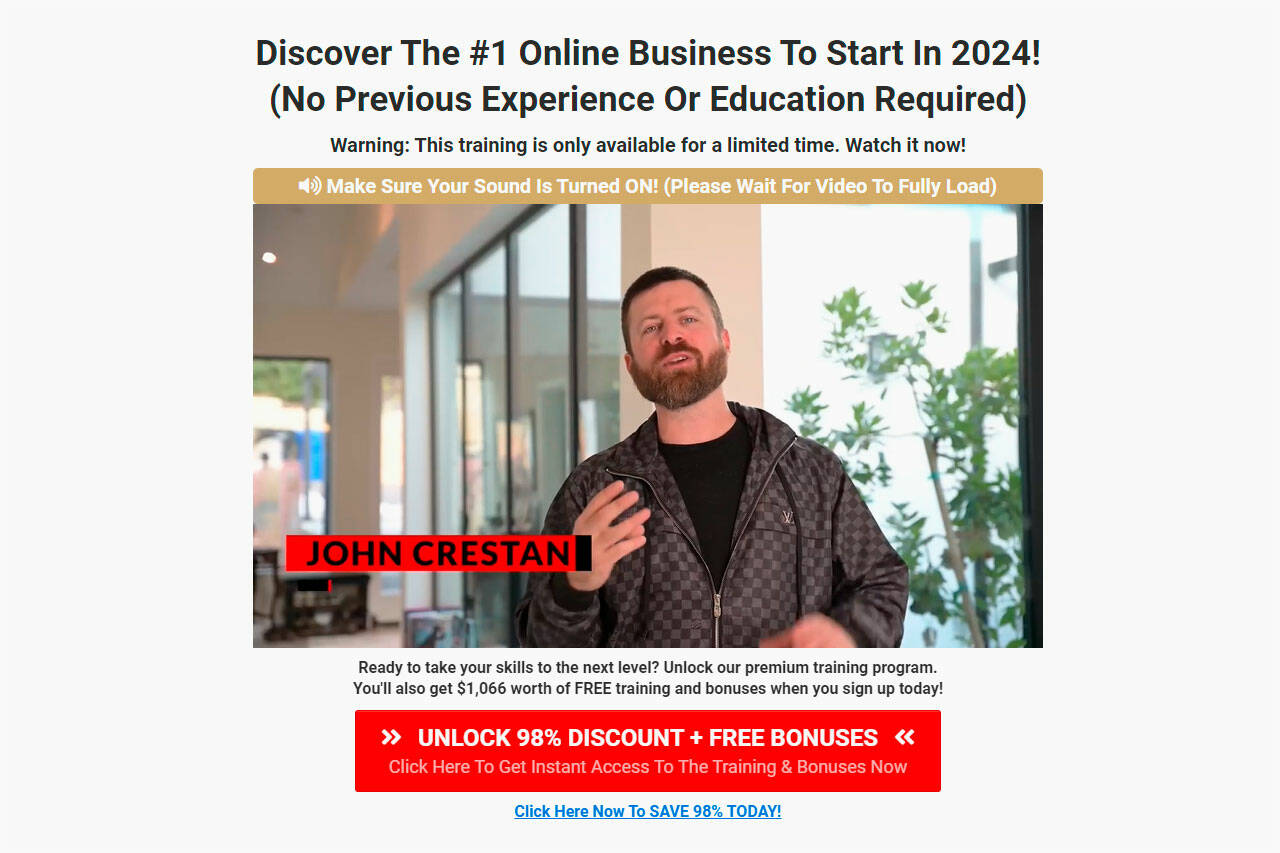
Digital marketing expert John Crestani has launched a new online course teaching students how to make money online and create their success path.
In John Crestani’s Online Business Mastery course, students will discover what it means to be an entrepreneur, how to create a 90-day launch plan for their digital business, and more – no matter what their background or experience may be.
Is John Crestani’s Online Business Mastery program legit? Should you sign up for the course? Please keep reading to learn everything you need to know about today’s course in our review.
What is John Crestani’s Online Business Mastery?
John Crestani’s Online Business Mastery is a package of eBooks, digital guides, and videos designed to teach you how to be a better digital entrepreneur.
John Crestani is an experienced affiliate marketer who has built multiple successful online businesses over the last ten years. Those businesses generate millions of dollars per year in sales. He also runs his own digital marketing agency that has helped create billions of dollars in client sales.
In recent years, John has focused on educating others on how to succeed at digital marketing, teaching more than 50,000 people how to enjoy similar success online. In John Crestani’s Online Business Mastery, you can discover some of John’s proven strategies for launching a successful digital business.
John Crestani is an affiliate marketer known for launching multiple online training programs.
Since leaving his job in the corporate world, John has risen to become a successful affiliate marketer.
According to the official website, John is “an internationally renowned expert in affiliate marketing.” After working for others his whole career, John “said ‘f&#A the corporate world’ and chose his own way.”
Today, John continues to help others replace their 9 to 5 jobs and achieve financial freedom by creating online businesses.
According to JCMentor.com, John has helped clients generate billions of dollars in sales through his digital marketing agency, which was recently selected as one of America’s top 5000 fastest-growing companies (as a member of the Inc. 5000 list). John has also personally built multiple successful online businesses that generate millions of dollars per year, according to JCMentor.com.
John Crestani also claims his unique approach to life took him from drowning in debt to making over $50 million. In another introductory video, John claims his online businesses have made over $25 million since 2012.
By signing up for John Crestani’s Online Business Mastery, you can discover the secrets to John’s success – including the proven strategies he uses to succeed in digital marketing.
What’s Included with John Crestani’s Online Business Mastery?
John Crestani’s Online Business Mastery includes everything you need to get started in affiliate marketing – regardless of your experience.
You get immediate access to all of the following when you sign up for John Crestani’s Online Business Mastery online today:
Step 1: The Foundations Orientation Guide: In this training program, you can discover John Crestani’s core philosophy for running a business, including what it means to be an entrepreneur, how the entrepreneurial mindset works, and how you can apply this philosophy to your own business. John Crestani believes “this is the best path for anyone who wants to reach their full potential.” It prepares you for the video masterclasses and other training programs below. (Value: $199).
Step 2: The Success Path Masterclass 3-Hour Video Training Class: In this video masterclass, you get three hours of instruction on creating your success path. John Crestani is a big believer in creating a successful plan to help you achieve your goals. In the three-hour video, you get a step-by-step guide on transforming your life personally, physically, and professionally. John Crestani used these tips to take him from drowning in debt to making over $50 million. (Value: $199).
Step 3: 90-Day Launch Plan 2-Hour Video Training Class: This 2-hour video masterclass takes everything you learned in the previous masterclass and shows you how to use it to launch your own dream business in 90 days. If you’ve ever wanted to create your own business but weren’t sure how to get started, this masterclass can take you from the idea stage into the launch stage. (Value: $199).
Free Bonus #1: The Success Advisor One-on-One Consultation Sessions: All John Crestani’s Online Business Mastery customers receive a one-on-one consultation with a trained professional to guide you through creating your success path. The goal is to give you everything you need to reach your full potential. (Value: $299).
Free Bonus #2: The Success Roadmap Digital Guide: This PDF document visually outlines the process you can use to create a personalized success path for your unique growth. You can use this roadmap to reach your full potential. (Value: $99).
Free Bonus #3: The Crestani Way Doctrine Printable Guide: This printable PDF document outlines some core values espoused by entrepreneurs like John Crestani. You can implement these values into your work to help you reach your full potential. Some print it off and put it beside their workstation, while others reference it daily to ensure they’re on the right path. (Value: $99).
Free Bonus #4: Access to the Crestani Nation Community: Everyone who purchases John Crestani’s Online Business Mastery gets instant access to the Crestani Nation online community. You’ll get access to a private group of like-minded entrepreneurs using the platform for personal, professional, and physical growth. (Value: $199).
Free Bonus #5: The Income Jumpstart Digital Guide: Quickly and easily generate income in a few simple steps with The Income Jumpstart digital guide. John Crestani shares some of his most proven strategies for quickly generating income online in this guide. (Value: $199).
30-Day Moneyback Guarantee: Don’t like John Crestani’s guide? Unhappy with the course for any reason? You can request a complete refund within 30 days. Plus, you can keep all digital bonuses as a thanks for trying the program.
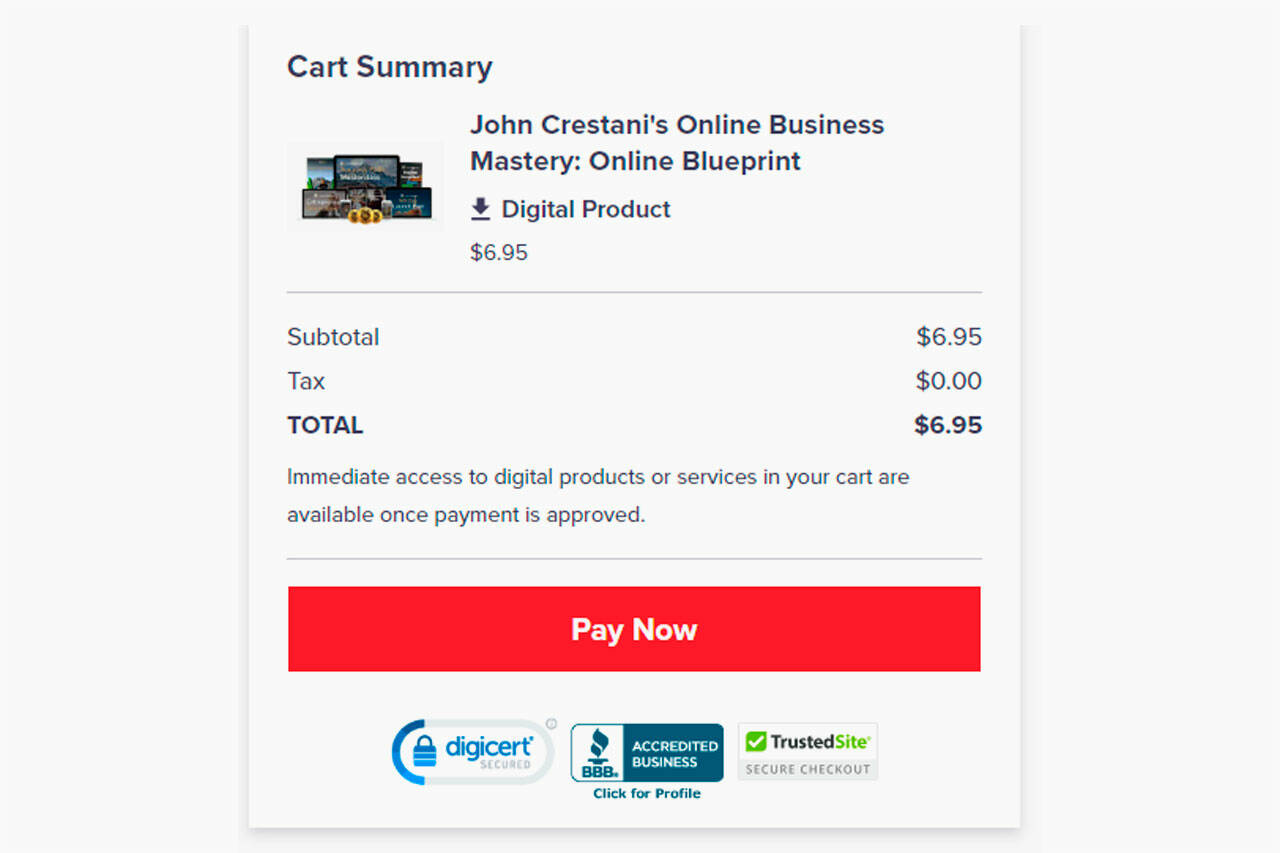
Overall, John Crestani values these digital products at $1,491. As part of a 2024 promotion, you get all the guides and videos for just $6.95, a 98% discount from the ordinary retail rate.
John Crestani Understands the Importance of Mentorship
With John Crestani’s Online Business Mastery, he seeks to become a mentor to others who want to make money online.
Why is John Crestani so passionate about mentorship? John credits one of his mentors with helping him become a successful affiliate marketer.
Before starting his online business, John was at a dead-end job making less than $45,000 per year in Los Angeles. He spent two hours per day commuting through Los Angeles traffic. He had little life outside of work and no friends outside his coworkers.
One day, John’s girlfriend left him. She didn’t see a personal or professional future for John. That’s when John decided to make a change.
John linked up with a mentor who was already running a thriving digital marketing business. That mentor helped John become the affiliate marketer he is today.
With John Crestani’s Online Business Mastery, John seeks to impart that same wisdom to students. He shares the same proven strategies he used to become a successful digital marketer, helping ordinary people worldwide grow their digital businesses and create their own success paths.
John Crestani is a big believer in creating your “success path.”
Each person has a different success path. Your success path is different from someone else’s success path.
In John Crestani’s Online Business Mastery, you’ll discover:
How to create your personalized success path.
A step-by-step guide to improving yourself physically, personally, and professionally.
How to identify your goals and create a path towards achieving your goals.
How to become successful regardless of your way up to this point.
The proven steps other entrepreneurs, including John Crestani, have taken to create their success path.
Across a series of guides and videos, you’ll discover exactly how to create your success path, helping you build a step-by-step guide for becoming more successful.
John Crestani’s Online Business Mastery is priced at a one-time fee of $6.95. Since it’s a digital course, you’ll get instant access to the program and all included digital products:
John Crestani’s Online Business Mastery: $6.95
John Crestani’s Online Business Mastery Refund Policy
All John Crestani’s Online Business Mastery purchases have a 60-day money-back guarantee. You have 60 days to request a refund on your purchase if you’re unhappy for any reason. All sales are processed through the respected digital retailer ClickBank so you can have confidence in your order.
Final Word
John Crestani’s Online Business Mastery is a series of eBooks, PDF guides, and masterclass videos teaching you how to launch a successful online business.
Led by digital marketing expert John Crestani, who has made over $50 million in the industry, students discover proven strategies for creating their own “success path” and growing their business.
The news and editorial staff of Sound Publishing, Inc. had no role in the preparation of this post. The views and opinions expressed in this sponsored post are those of the advertiser and do not reflect those of Sound Publishing, Inc.
Sound Publishing, Inc. does not accept liability for any loss or damages caused by the use of any products, nor do we endorse any products posted in our Marketplace.
Source link
]]>https://cbomo.com/nordic-walking-how-to-start-the-full-body-workout-per-experts-prevention-magazine/feed/021 Secret Websites To Make Money (2023) — Legit And Free To Start
https://cbomo.com/21-secret-websites-to-make-money-2023-legit-and-free-to-start/
https://cbomo.com/21-secret-websites-to-make-money-2023-legit-and-free-to-start/#respondWed, 19 Jul 2023 23:45:50 +0000https://cbomo.com/21-secret-websites-to-make-money-2023-legit-and-free-to-start/ [ad_1]
Welcome to our exclusive blog post where we unveil the hidden gems of the online world — secret websites to make money. If you’re eager to explore unconventional avenues for generating income and discover lesser-known platforms, you’ve come to the right place.
In this comprehensive guide, we will reveal a curated list of secret websites that offer lucrative opportunities to earn money online. From innovative side hustles to unique online ventures, we will delve into various options that can help you boost your financial prospects.
If you don’t want to miss out on any secret money-making websites, updates, and the best ways to make money, subscribe here (click here)!
Let’s dive in!
1. Jooble
You may be wondering why the very first site is a directory site, but trust me, it is designed to help you find the best job without having to go to different sites. Jooble finds authentic jobs from 86,760 job sites and allows you to easily find your desired one.
Online jobs
Remote jobs
Part time and full-time jobs
No matter where you are from (country), it offers jobs for everyone with all kinds of skills. Personally, I researched remote jobs and found that you can even earn $2,000 to $5,000 with a remote job through Jooble if you are interested.
Iamge Source: jooble
You must not believe all the jobs posted. Check their website and company details thoroughly on Google, and never pay for any job, even if they claim it’s a security deposit.
2. Upwork
In a nutshell, if you were to ask me, I would confidently recommend Upwork as the go-to website for making money.
As a freelancer on Upwork, you can offer a wide range of services such as web designing, WordPress optimization, SEO, content writing, customer support, data entry, and much more.
What astonished me is the discovery that some individuals earn as much as $400 per hour, while others make an astounding $800 per hour.
However, even as a newcomer without an established reputation or client reviews, you can still earn between $10 and $60 per hour.
Image Source: Upwrok
Upwork provides a remarkable platform that opens doors to endless earning potential, regardless of your experience level. Whether you are just starting out or a seasoned professional, there are abundant opportunities to capitalize on your skills and expertise.
Join Upwork today and unlock a world of possibilities, where your talents are valued and your financial aspirations can become a reality.
3. FeetFinder
FeetFinder stands as one of the best-kept secrets among websites dedicated to helping individuals make money. With our innovative platform, you can showcase your artistic flair, capitalize on the demand for intriguing foot pictures, and start earning a substantial income from the comfort of your own home.
Image Source: FeetFinder
Whether you’re a professional photographer or not, an aspiring model, or someone looking to monetize their foot-centric photography, FeetFinder provides a safe and private space to connect with buyers who appreciate the beauty and allure of feet.
Step into a world where your creativity knows no bounds and where your foot pictures become highly sought-after assets.
Don’t let this opportunity slip away. Join FeetFinder today and embark on an exciting journey towards financial independence.
It is truly remarkable to reflect upon the fact that, up until this very day, I have successfully assisted over 79 individuals in joining Pictory and creating compelling videos for the purpose of expanding their YouTube channels and generating income on the platform.
Pictory stands as the ultimate online destination, an exemplary website that one must absolutely join in order to embark on the journey of establishing an enigmatic YouTube channel.
Image Source: Pictory
To clarify, Pictory empowers its users to produce exceptional videos devoid of any prior video editing skills, SEO expertise, marketing prowess, or technical proficiency.
Armed solely with basic computer skills, you can effortlessly commence your own YouTube channel, crafting captivating video content either with the assistance of ChatGPT or by ingeniously repurposing your pre-existing Medium articles, ultimately sharing them on your YouTube platform.
Without a doubt, this process represents the epitome of simplicity and remains unrivaled as the most effective approach to monetize your endeavors through Pictory.
To further enhance your understanding and proficiency in making substantial earnings with Pictory and YouTube, I have meticulously prepared an extensive and comprehensive article.
Click the following link below to access this invaluable resource!
Freelancing has always been my favorite way to make money for several good reasons:
Flexibility of work
Higher pay rates (up to $200 per hour)
Easy to start
You can find work for yourself as a writer, web developer, graphics designer, SEO expert, customer support, and more in various fields.
Image Source: My Freelancing Profile
Just like Upwork, Fiverr, and Freelancer.com, these websites are excellent platforms where you can create your profile, find jobs, and earn a substantial income.
Honestly, I wouldn’t say it’s effortless for everyone, but if you possess the right skills or are a beginner, you can learn new skills in just 30 days and begin earning on Freelancer.
Initially, securing high-paying jobs might be challenging, but with dedication and hard work, your hourly rates can quickly soar to $200 per hour.
6. Flexjobs (For Writers)
No wonderFlexJobs is a wonderful website for remote (work from home) jobs that are legitimate, verified, and offer high pay for all kinds of freelancers.
Flexjobs specializes in providing a wide range of flexible and remote job opportunities, catering to individuals seeking freelance, part-time, and full-time positions.
Some premium jobs can be found outside the platform
To explore freelance jobs on Flexjobs, users are required to sign up for a subscription. The platform offers four subscription plans, starting from $1.15 per week only (For 1 year plan, $59.95/year ).
In today’s ever-evolving world, education remains the steadfast industry where the potential to make money is endless. After all, everyone needs to continuously learn and enhance their skills to live a fulfilling life with awareness.
That’s where Studypool, the secret website, comes into play. It opens the door for you to earn up to an incredible $7500 per month as an online tutor, all from the comfort of your own home.
Imagine the possibilities!
Image Source: Studypool
You can engage in 101 online sessions with eager school and college students, provide on-the-spot answers to challenging math and physics questions, and even offer your expertise in writing essays for students. With Studypool, you have the opportunity to make money like never before.
So, are you ready to embark on this exciting journey? Get started today and unlock the incredible earning potential that awaits you in the world of education.
8. Taskrabbit
TaskRabbit is a same-day service provider that connects clients with freelancers for various day-to-day tasks like grocery shopping and furniture assembly.
To start earning money, freelancers can create an account, select their area and category, and set an hourly rate. TaskRabbit reviews and conducts background checks on applicants, who must pay a $25 registration fee upon approval.
Work type: delivery service, Writing, house cleaning, personal assistant
Pros: custom hourly rates, no service fees
Cons: only available in certain city areas
Image Source: Taskrabbit
Freelancers can find jobs and manage their work through the mobile app. After completing a task, they send an invoice, and clients deposit money directly into their registered bank account.
TaskRabbit only charges service fees to clients, ensuring freelancers receive the full amount they charge.
9. NewsBreak
The News Break Contributor Program offers an exciting opportunity for individuals to share their expertise, perspectives, and stories with a wide audience.
As a contributor, you can submit articles on various topics and have the chance to get published on the News Break platform, reaching millions of readers.
Initially, Newsbreak offered a base payment of $60 per article, complemented by performance incentives, allowing for a maximum monthly base payment of $1,500.
Newsbreak Earning Proof and learning by Walter Rhein.
Originally, this enticing offer was limited to the initial three-month period, but due to my consistent contributions, they have generously extended it twice. While a part of me is eager to explore new opportunities beyond Newsbreak, the attractive compensation serves as a compelling incentive for me to continue my engagement with them.
10. Servicescape
ServiceScape is a dedicated online job board that focuses on connecting freelancers with opportunities in writing, editorial work, and translation services.
The platform provides a valuable space for freelancers to showcase their skills and expertise by creating professional profiles.
Image Source: Servicescape
Through ServiceScape, freelancers can effectively promote themselves to an expanding client database, increasing their chances of securing rewarding projects.
Pros: custom pricing structure, flexible scheduling option, effective communication
Cons: high commission percentage and limited field of expertise
ServiceScape distributes income monthly via PayPal, check, and Gusto. Freelancers can set custom pricing (project-based or hourly), but the platform charges a 50% commission fee for completed work.
You may be curious about how Bluehostcan assist you in generating income, and let me assure you, it’s something I cannot overlook myself.
Bluehost empowers you to create your own personal blog for just $2.95/month, opening up a world of possibilities to monetize your blog through Google ads, affiliate marketing, and much more, allowing you to generate a steady income.
Image Source: Bluehost
Personally, I write on Medium.com and maintain my own blog (manipathak.com), attracting between 5000 to 10,000 readers every month and earning a respectable income online.
Rest assured, this is a hidden method, and my secret website to make money works wonders. All you need is to start a blog.
If I were in your position, I would wholeheartedly embrace this advice without hesitation. Not only can you create blogs and various types of websites with Bluehost, but you can also participate in their affiliate program, just like me, and further increase your earnings.
12. Rev Transcribe
Earn money from the comfort of your home with transcription jobs. Discover the secret websites to make money online through transcription and join over 1 million individuals who are thriving as online translators.
As a transcriptionist, you have the potential to earn between $200 to $2000, providing a substantial monthly side income.
Image Source: REV
Numerous online platforms exist where you can dedicate your time to transcription and generate a decent income.
One website that stood out for me is REV, known for its fair pricing and consistent workload. However, it’s important to note that the screening process may be lengthy.
Typically, it takes around 20 to 30 minutes to complete, and if you meet the requirements, you can expect approval within 48 hours.
Ready to explore the opportunities offered by REV? Learn more about this platform and start your journey towards earning money through transcription today!
13. Clickbank
Clickbank ranks among the top 5 trusted affiliate networks, renowned for its potential to generate $100 to $5000 per day through affiliate marketing.
Essentially, Clickbank offers a diverse range of products and services that you can promote via Instagram, Google Ads, Facebook Ads, Medium posts, or any marketing channel of your choice to drive sales. For each successful sale, Clickbank typically pays a commission ranging from 30% to 100% of the sales value.
Image Source: Clickbank
As an affiliate marketer myself, I am passionate about certain services and have no hesitation in promoting them through my Medium posts, knowing that it benefits both my readers and me without any additional cost to them.
To get started on this incredible opportunity, simply create an account and unlock the potential for lucrative earnings.
As a blogger, I rely on various tools such as Canva for graphic designing, Bluehost for hosting, and SocialPilot for social media automation.
However, here’s an exciting revelation: Impact has partnered with all these platforms and several others to help you monetize through affiliate marketing.
With over 2000+ advertisers, Impact stands as one of the premier affiliate networks that isn’t easily found. It’s my secret website for making money online, even when I’m purchasing something for personal use.
By joining different Impact programs, you can earn 20% to 100% commission on every sale generated through your affiliate links.
What’s even more remarkable is Impact Radius, a site I adore for its recurring commission affiliate program. Once you generate a sale, you continue earning even when you’re not actively promoting.
Are you interested in making $5000+ every month through affiliate marketing?
Fill out the form below to contact me, and I’ll gladly guide you personally through the process.
15. Flippa
In this comprehensive list of 21 secret websites for making money online, I am delighted to introduce one highly profitable and exceptionally trustworthy platform.
Image Source: Flippa
Flippa, a unique and pioneering website, offers tremendous opportunities to generate substantial income. You can either purchase an already profitable online business and continue earning passive income on autopilot, or you can create and sell your own digital ventures.
Here are some remarkable features of Flippa:
Buy and sell profitable websites
Buy and sell domains
Acquire existing online businesses that generate consistent revenue and resell them for a profit
Assist others in their quest to earn money and earn commissions in the process
It’s truly an unparalleled opportunity. As mentioned earlier, I previously discussed domain flipping (domain investing) with the help of Flippa and Empire Flipper.
Discovering these secret sites that generate substantial income may require a little knowledge and proper guidance. Flippa, undoubtedly, stands out as an excellent choice for profiting from website and domain flipping. If you need assistance in getting started, feel free to contact me.
Let’s embark on this exciting journey together and unlock the immense potential of Flippa for lucrative site and domain flipping.
16. Amazon Mechanical Turk
An innovative marketplace for crowdsourcing, Amazon Mechanical Turk (MTurk), was created to make it easier for people and companies to outsource jobs and procedures.
Image Source: MTurk by Amazon
MTurk enables the virtual fulfillment of a variety of tasks by utilizing a distributed workforce, ranging from straightforward data validation and research to subjective jobs like taking surveys and content moderation.
If you’re searching for a convenient way to earn $5 to $50 per hour by completing straightforward tasks online, look no further than MTurk by Amazon. This website provides fantastic opportunities for individuals from all walks of life to make money.
The best part is that you don’t need a college degree, any upfront investment, or prior experience. With basic computer skills, you can easily read and tackle simple tasks, all while making money online. It’s a hassle-free and accessible way to earn some extra cash.
17. People Per Hour
PeoplePerHour is a highly lucrative and relatively less competitive freelancing platform that offers a wide range of work-from-home opportunities.
So far, I’ve shared 14 secret websites to make money, but let me tell you, this one isn’t as easy to get started with unless you possess the right skills. However, I can confidently say that PeoplePerHour has the potential to earn you $10 to $100 or even more per hour.
Image Source: Peoplperhour
The platform hosts high-paying jobs in fields such as SEO, web development, and content writing.
All you have to do is join the platform and place your bids to start making money. It’s a rewarding platform for those who are skilled and ready to take on exciting projects.
You can begin your journey on PeoplePerHour for free and upgrade your membership once you start earning. Even if you’re a complete beginner without specialized skills, having basic computer skills is enough to embark on this platform.
In fact, you can even learn a new skill within just 30 days using resources available on the website, enabling you to offer your services on PeoplePerHour with minimal prior knowledge or experience.
One of the quickest ways to make money online is through paid survey sites. These platforms allow you to participate in short surveys, ranging from 1 to 10 minutes, where you can share your opinions and complete small tasks in exchange for money.
Image source: Google Play
While the earnings from survey sites typically range from $2 to $20 per hour, it’s definitely worth a try, especially during your free time. It can serve as a great side hustle opportunity.
These micro job sites often have a good number of available tasks, and the best part is that they require no initial investment to get started.
Indeed, Toluna, Sprout Social, and Google Opinion Rewards are well-known and popular platforms for micro jobs and surveys. They offer opportunities to earn money by participating in various tasks and sharing opinions.
If you join my mailing list, I’ll provide you with additional sites that offer tasks paying up to $1 for every 1-minute task.
19. Medium (For Google Search Readers)
Did you know that Medium is more than just a platform for reading articles? It’s a golden opportunity for writers like you to make a substantial income.
If you’re currently engrossed in this post, chances are you stumbled upon it naturally through a search engine or another platform.
But here’s the exciting part: Medium.com boasts a vibrant community of millions of passionate readers and writers right within its own ecosystem. And that’s not all!
It also attracts a significant stream of traffic from popular social media platforms and Google.
So, no matter which corner of the world you’re in, you can join Medium and start earning money. I’ve gone the extra mile to craft a comprehensive article that will serve as your trusted guide, revealing the secrets to making anywhere from $500 to $5000 per month with Medium as your lucrative side hustle.
And if you’re truly serious about maximizing your earning potential, I offer personalized 101 coaching sessions designed to propel you towards success on the platform.
20. Tanstutors
During my college years in 2017, I discovered the joy of teaching through Chegg. It was a rewarding experience that brought in a steady income of $100 to $150 per month.
However, now there’s an even better opportunity available. Websites like Transtutor can easily help you earn up to $2000 by teaching online and assisting students with their problems.
Let me tell you why Transtutor stands out:
Work from the comfort of your own home, eliminating the need for traveling.
Enjoy the flexibility of setting your own schedule without any time constraints.
Earn bonuses for achieving targets, adding an extra incentive to your earnings.
Unlock the potential for an additional lifetime royalty of up to $300 per month.
Explore a wide range of subjects, expanding your teaching horizons.
Answer questions in multiple subjects, broadening your impact and income potential.
Transtutor is the platform that can take your teaching aspirations to new heights. Say goodbye to limitations and hello to a rewarding online teaching journey.
The internet is a treasure trove of secret sites that savvy internet enthusiasts use to make money. I’ve compiled a list of the top 20 sites above, carefully selecting those with a high success rate, generous pay scale, and rare availability.
Image Source: Manipathak.com
However, having access to these secret sites alone may not guarantee your online money-making success. It takes the right skillset and guidance to truly thrive in the digital world.
That’s where Manipathak.com comes in. This website provides valuable resources to help you learn various ways to make money online. Whether you’re looking for a side hustle or a full-time income stream, Manipathak.com offers professional assistance (for a fee) to help you get started within just a few days.
If your goal is to earn anywhere from $1000 to $50000 per month, even in your free time, having the right mindset and guidance is crucial to save time on research, testing, and avoid potential financial losses.
If you’re genuinely serious about making a substantial income, Manipathak.com will be your go-to resource to kickstart your online side hustle or business, leading you towards financial success.
The Bottom Line
In conclusion, the world of online money-making is full of hidden gems, and I’ve curated a list of 21 secret websites to make money in a real and trusted way.
However, remember that success in the online realm requires the right skills and guidance. Take the leap, explore the secrets, and start your journey toward financial freedom today.
Related Posts:
How to start a blog?
Start A Faceless YouTube Channel — No Skills Required*
7 side hustles for college students.
Please don’t forget to clap, follow, and share this post to help others in your friends and family circle.
By sharing this with your Facebook, Instagram, and WhatsApp groups, you’ll not only support me but also reap the rewards for your valuable contribution.
Your efforts will undoubtedly be recognized and appreciated for the excellent work you’re doing.
It’s time to take a leave, thanks for your valuable time.
]]>https://cbomo.com/21-secret-websites-to-make-money-2023-legit-and-free-to-start/feed/05 ways to find the best place to start your career
https://cbomo.com/5-ways-to-pick-the-best-place-to-start-your-career/
https://cbomo.com/5-ways-to-pick-the-best-place-to-start-your-career/#respondMon, 17 Jul 2023 13:44:20 +0000https://cbomo.com/5-ways-to-pick-the-best-place-to-start-your-career/ [ad_1]
Image: iStock/Drazen Zigic
You’re just about to enter the world of work for the first time. You’ve bagged some qualifications, you’ve gained some experience, and you’ve refined your resume.
You’re a good candidate, but where should you try and find work? Would it be better to start at a resource-rich, blue-chip business, or should you hone your skills in a smaller company, where you’ll have the opportunity to quickly become a big fish in a small pond?
Five business leaders reflect on their careers and give us their best-practice tips.
1. Find an organization that suits you
Cynthia Stoddard, CIO at Adobe, started out at a big firm but says the route you take and the size of the company you work for will depend on your personality.
“It’s kind of like, do you go to a big university, or do you go to a small school? Where are you going to get the most out of it?”
Stoddard advises other professionals to think about who they are, to consider what they want from their careers, and to find an employer that offers a good jumping-off point.
“If you crave diversity in what you do every day and some personalized attention, the way to go is to a small firm — and you’re going to learn better that way,” she says.
“But if you’re confident that you can be brought into a big company and given a laptop, a cell phone, and a cube, and maybe a partner to help you get acclimated, go for it.”
2. Explore opportunities at companies of all sizes
Alex Hibbitt, engineering director at Albelli-Photobox Group, says you’ll learn many skills at any organization. He advises up-and-coming professionals to work in both big and small firms. Where you start, however, is up to you.
“From my perspective, starting in a smaller organization and going bigger has allowed me to grow as my career has grown,” he says. “So, I think that’s generally a good approach, but people’s mileage may vary. It depends on what impact they want to have.”
Hibbitt started his career at Arts Alliance Media, which is a cinema software specialist. He was employee number 12 and learned a lot through the experience.
“I think the one constant that’s true is change,” he says. “If you start in a small ecosystem, you can get a perspective of what change looks like — and then you can apply your knowledge in a bigger ecosystem later on in your career.”
Hibbitt says moving on to work for Albelli-Photobox Group has provided a fresh perspective of what change looks like in a bigger organization.
“Our engineering community is pushing 300 people,” he says. “Being able to navigate change through an organization that size is a different skill to navigating change in an organization of 12 people.”
3. Work for a business that provides fresh challenges
Lalo Luna, global head of strategy and insights at Heineken, is another business leader who says the size of the organization you work for at the beginning of your career isn’t the most important factor.
“It’s not about the company,” he says. “It’s more about how you exploit all the resources and all the knowledge that you have available. I think it’s about how you can be open to learning new things, how you receive feedback, and it’s about your ability to continuously learn.”
Luna says there are no explicit rules that dictate where you’ll be happiest and most successful. While he’s risen to the top in a huge global enterprise, he knows other people who’ve struggled to achieve their aims in blue-chip firms.
“I hear a lot of stories of people who left very big companies because they weren’t happy,” he says. “They jumped into smaller companies, and they’re now very successful and more comfortable.”
Luna says the company that feels a good fit for you personally is likely to be the right place to work, regardless of size.
“It’s more about the culture, the people, your reaction, and how you can adapt yourself to business challenges.”
4. Think carefully about the people you’ll work with
Not everyone moves from one company to another. Technology Adoption Manager Robyn Furby, for example, has spent her whole career at insurance specialist NFU Mutual.
The organization was recently named a Gallup Exceptional Workplace 2023, which was the eighth consecutive year it’s received the award. It recognizes companies that concentrate on engagement and workplace culture.
Furby says NFU Mutual’s attention to workplace culture made staying in one place an easy decision.
“The people and the environment [have] always been what’s made me stay with the organization because I’ve been able to grow and learn with people who I really connect with,” she says.
Furby says the key lesson for professionals who are thinking about where to start their careers is that the human element is critical.
“My career has grown within one place, but I’ve always learned about lots of different elements within my organization,” she says. “I think it’s all about finding the right company for you.”
5. Use your passion as a guide
Jay Meyering, senior manager for software development at CrossFit, formerly worked for tech giant Oracle and he says there are benefits to working at both small firms and their bigger counterparts.
However, working in a major enterprise means you can get exposed to some exciting things.
“The benefit of being at a big company like Oracle is there were a lot of people to learn from, and there were a lot of really smart people there and just cool things that other teams were doing,” he says. “We did a lot of knowledge sharing.”
Yet Meyering describes his current role as his “dream job.” He started doing CrossFit 15 years ago and moved to the company three years ago, merging his hobby with his passion for development and data.
“What I love about this smaller company is that you’re exposed to so much more,” he says. “I think that helps you get a lot of breadth, and there’s almost a forcing function that says, ‘no one else can do this.’ So, I then get to jump in and learn this new thing.”
]]>https://cbomo.com/5-ways-to-pick-the-best-place-to-start-your-career/feed/0Start a new side hustle with a subscription to this learning platform, just $32.97 through 7/17!
https://cbomo.com/start-a-new-side-hustle-with-a-subscription-to-this-learning-platform-just-32-97-through-7-17/
https://cbomo.com/start-a-new-side-hustle-with-a-subscription-to-this-learning-platform-just-32-97-through-7-17/#respondSun, 16 Jul 2023 23:44:59 +0000https://cbomo.com/start-a-new-side-hustle-with-a-subscription-to-this-learning-platform-just-32-97-through-7-17/ [ad_1]
This subscription to StackSkills gives you lifetime access to over 1,000 courses on coding, IT, and other in-demand skills, and it’s discounted to a mere $32.97 through 7/17.
Whether you’re in-between jobs or hoping for a raise in the near future, checking in on what you have to offer as a professional is always a good idea. While time management and a good work ethic are great assets, other in-demand skills are practically guaranteed to take your professional life to the next level.
Attaining new skills to add to your resume doesn’t necessarily mean you have to go back to school — not in the traditional sense, anyway. In fact, you can take courses right at home at whatever pace you’d like with StackSkills. The respected online learning platform boasts over 1,000 courses focusing on some of the most in-demand skills today, costing way less than any tuition. In fact, during the Deal Days event, a lifetime subscription to the platform costs just $32.97 if you act before 7/17.
It’s no secret that the world of tech reigns supreme, and in pretty much any professional industry, there’s a demand for tech-savvy individuals. That’s why StackSkills offers courses in things like iOS development, Blockchain, coding, and more, helping you to enhance your skillset to get your business off the ground, land a better job, and more throughout your career.
Boasting an average rating of 4.5 out of five stars with over 450 reviews along with praise from NBC News, Engadget, PCMag, and more, StackSkills proves to be one of the best tools at your disposal when it comes to increasing your value as a professional. Led by over 350 of the web’s top instructors, each on-demand course — whether it be focused on graphic design, finance, or marketing — helps beginners and seasoned learners alike take their careers to the next level from the comfort of their own homes.
Ready to kick that side hustle into high gear? Learn a new skillset with a subscription to StackSkills before its discounted price goes up again!
A lifetime subscription to StackSkills is just $32.97 through 7/17 during the Deals4JAX Deals Day sales event.
]]>https://cbomo.com/start-a-new-side-hustle-with-a-subscription-to-this-learning-platform-just-32-97-through-7-17/feed/0How to Start a Food Blog: Step By Step Guide (2023)
https://cbomo.com/how-to-start-a-food-blog-step-by-step-guide-2023/
https://cbomo.com/how-to-start-a-food-blog-step-by-step-guide-2023/#respondFri, 07 Jul 2023 23:13:18 +0000https://cbomo.com/how-to-start-a-food-blog-step-by-step-guide-2023/ [ad_1]
What could be better than starting a blog about an activity we often do twice or thrice a day? I’m a foodie and a blogger who loves to turn passion into profit.
In this free guide, you will learn “how to start a food blog” and make good money out of it.” No wonders, it’s just going to take a $2.95 per month investment to start.
Photo by Pineapple Supply Co. on Unsplash. How to start a food blog?
Food blogs top the income charts among major blogging topics. If you’re eager to share your culinary delights but unsure of how to begin, look no further.
With over 2 billion blogs in existence, fierce competition prevails.
To stand out, establishing a unique brand identity is crucial. Begin your food blog journey by brainstorming and defining your brand identity.
How to start a food blog?
Food blogging is a highly profitable and easily accessible niche compared to digital marketing, making money online, and other evergreen niches.
With relatively low competition and the emergence of new AI tools, it has become an effortless way to generate income on autopilot, surpassing what you can imagine.
Table of Contents:
1. Brainstorming Your Brand Identity 2. Securing Your Domain And Hosting Your Website 3. Designing and Building Your Blog 4. Getting Started with Posting 5. Promoting Your Site 6. Monetizing Your Blog 7. Essential Practices for Successful Food Blogging 8. Frequently Asked Questions (FAQs)
Step 1: Brainstorming The Brand Identify
Your food blog can be a brand just like any other online website you love, tools you use, and that’s why it’s necessary to have an easy-to-remember, matching name that aligns with your niche and is short enough for your audience to identify.
Any blog or website, like Google.com, has a name that we type in the browser to access the website; it’s called a domain name.
Step 2: Securing Your Domain And Hosting Your Website
For any blog or website, we need a domain (blog name) and hosting (server where website files are hosted) to make it available online.
To make it go live and start the designing work, you need to obtain hosting for your blog. Fortunately, it is very cost-effective, with prices starting at just $2.95 per month.
To access the special rate of $2.95 per month on BlueHost, click here and then select “get started now”.
Web-hosting special discount at Bluehost.
2. Select your preferred plan, although you can start with the “basic” one as shown below in the image.
Though you are free to choose any other plan, it will work perfectly.
Pick a hosting plan from Bluehost.
3. Enter your desired domain name for you blog in the left box and click “next” to initiate the registration process at no extra cost.
💡 Note: If you already own a domain name and wish to use it for your blog, enter your existing domain in the right box and then click “next”.
Use the right box only if you have previously paid to register a domain!
Choose a domain name. It ads no extra cost (FREE blog name)
4. Next, you need to fill in some basic details like name, email, and phone number on the registration page.
Create an account at Bluehost Next.
5. You will also need to choose your hosting package and options.
BlueHost hosting plans include essential features for blog setup: free custom domain, easy WordPress installation, web hosting, and personalized email (e.g., yourbusiness@yourdomain.com).
Lately, BlueHost has included domain privacy within the hosting plan, ensuring your details remain protected from domain registrars and companies at no additional cost.
It will only cost you $35 per year, as shown in the screenshot below after the discount.
Choosing your settings and packages (just click this).
After completing this process and making the purchase using PayPal, credit card, or debit card, your registration will be complete, and a success message will be displayed, similar to the example shown below.
6. Next, you will be prompted to create your BlueHost account and set a password.
Create An Account.
Now, you need to create a username and password. Simply click on ‘Create account’ and proceed with the setup. Once completed, you will be directed to an installation helper.
As you are following this tutorial, you can click ‘Skip this step’ on the subsequent pages to directly access the dashboard.
Here, you will notice that Bluehost, after you click ‘Skip,’ will automatically install WordPress on your Bluehost hosting server and take you to the Bluehost dashboard.
Please be patient as this process may take a few minutes.
Once you are in the Bluehost dashboard, click ‘Login to WordPress’ to access your WordPress blogging software admin panel. From there, you can design your blog, add posts, and manage everything.
WordPress blog installation complete on Bluehost.
Feel free to contact me in case you fail to install WordPress or get stuck somewhere. I’m happy to provide free assistance.
Step 3: Designing and Building Your Food Blog
In the previous step, we discussed how to start a food blog on Bluehost server and WordPress.
Now, it’s time to design your blog to make it look professional, easy to navigate, and include necessary pages such as About Us, Contact Us, Services, Blog, Privacy Policy, and Terms and Conditions.
How to Start a Food Blog | Step-by-Step for Beginners.
We covered the essential steps on how to start a food blog. We created a Bluehost account, selected a domain name for our blog, and successfully installed WordPress as our chosen blogging platform.
Although I have shared a video tutorial on how to create your food blog (Above) on Bluehost, customize it, and make it ready to go live, you can also subscribe to my mailing listfor regular updates, deals, tips, and tricks, all for free.
Now, your blog should be accessible by simply entering the domain name in popular browsers like Chrome or Safari.
💡 Pro Tip: To streamline your login process and access the WordPress admin panel directly without going through Bluehost, follow this format in any browser: Enter your blog URL and provide the user ID and password you created.
This is the URL to directly access your WordPress blog's admin panel.
Now, it’s time to customize your food blog and give it a professional appearance. WordPress is an incredibly user-friendly tool that offers a wide range of themes and plugins, making it perfect for starting a food blog without the need for coding skills or extensive experience.
In this comprehensive guide on food blogging and how to start a food blog, you’ll discover how to leverage popular themes like Astra and powerful plugins such as Elementor.
With these tools, you can effortlessly design your blog using intuitive drag-and-drop functionality, ensuring your food blog stands out with a stunning and professional design
WordPress Blog Admin Panel. Image Source: My Blog (Manipathak.com)
As you can see in the image above, a typical WordPress blog admin panel will look like this. As we discussed earlier, you can access your blog directly through Bluehost or by using the URL I shared above.
However, before writing your first post, it is essential to understand the four elements highlighted in the image. These four aspects will help you grasp the basics and get ready to publish your first blog post in no time.
User tab — Here you can edit your email password or add more writers and editors to your blog.
Appearance — Under the Appearance tab, you will find various sub-tabs like theme, menu, and customisation options.
Plugins — In this tab, you can explore extensions (similar to mobile apps) to add more features to your WordPress blog. The majority of them are free.
Posts — Under this tab, you can start writing new posts or view all existing blog posts.
Sounds easy. I’m sure you won’t find it difficult.
💡 Tip: When starting a blog and logging in for the first time, make sure to go to the user settings and set up your password so that you don’t have to log in to Bluehost every time.
Before proceeding, it’s important to have a clear understanding of themes and plugins to avoid any confusion.
I won’t delve deep into customization here, as I have already shared a detailed article on how to customize your blog.
👉 Read here — Detailed Article On How To Customise Your Blog.
Step 4: Getting Started with Posting
Creating a new food blog and writing the first post brings me great joy. Over time, I’ve learned how to craft impactful blog posts that help readers, solve their problems, and generate income.
Here’s how to write a blog post on WordPress:
Log in to your WordPress dashboard.
Click on “Posts” in the left-hand menu.
Select “Add New” to create a new blog post.
Craft a catchy and descriptive title.
Write your content in the main editor area. Format your text, add headings, and insert media like images and videos.
Use the toolbar above the editor to style your text, add links, and perform formatting tasks.
Insert images or other media by clicking the “+” icon in the top-left corner of the editor.
Organize your blog posts using categories and tags.
Save your draft periodically.
Preview your post to see how it will look on your website.
When satisfied, click “Publish” to make it live.
Share your post on social media platforms to attract more readers.
Proofread your content and optimize it for search engines with relevant keywords, meta descriptions, and headings.
Remember, regularly updating your blog with fresh and engaging content will help retain your audience. As a long-term blogger, I’ve covered the essentials of creating a professional and profitable blog.
Step 5: Promoting Your Site
I’m thrilled that you’ve created your food blog using this easy, free, step-by-step guide.
However, it’s equally important, especially for beginners without an existing audience base or brand value, to promote your blog using both free and paid marketing methods.
Previously, I wrote a post on “How to promote your blog” that went viral and was liked by over 2000 readers. Even today, I continue to receive new likes on that post.
I’m sharing that post here to help you learn and promote your blog effectively, without any cost.
Step 6: Monetizing Your Blog
More than YouTube and Medium, a personal blog has the potential to generate significant income that you may not even imagine is possible.
Not only that, a food blog or any kind of personal blog gives you complete control over creativity, marketing strategies, and security. No third-party blogging site can block you from accessing your own blog.
Photo by Sasun Bughdaryan on Unsplash
There are over 10 ways to monetize your blog, and I’ll mention a few here:
Google AdSense: Display ads on your blog and earn money.
Affiliate marketing: Promote products and services and earn a commission for every sale, without needing to purchase them yourself.
Sponsored posts: Brands, such as a packaged food company in your case, may reach out to you to write a review or any type of blog post about their product, and you can charge them for it.
Courses: Create and sell courses, helping others make money like you, at a price you determine.
Backlinks: Charge solo entrepreneurs to include links to their websites in your blog posts.”
Note: Please be aware that specific monetization methods may have their own requirements and guidelines, so it’s important to research and comply with them accordingly.
Join my mailing list for free to receive regular updates, offers, and tips and tricks about blogging, making money online, and various profitable businesses.
Photo by Brooke Lark on Unsplash
Step 7: Essential Practices for Successful Food Blogging
If you’re a beginner looking to inspire others through your blog, follow these essential steps:
Research the problem: Just like a doctor listens to their patient before prescribing medicine, understand what your readers are facing. Utilize free tools like Ahrefs, Google Trends, and Google Keyword Planner to discover what your potential readers are searching for and if there are existing solutions.
Plan your content strategy: Address all aspects of the problem by breaking it down into subtopics. Create an editorial calendar, research thoroughly, and provide valuable and well-structured content.
Prioritize quality: Focus on crafting well-written, informative, and engaging posts. Pay attention to grammar, spelling, and readability.
Enhance with visuals: Include eye-catching visuals such as images, infographics, and videos to make your posts more engaging and shareable.
Consistency is key: Maintain a regular posting schedule to build trust and keep readers engaged. Provide genuine, authentic content that empowers your audience.
Now, you’re ready to start writing your blog posts with the goal of ranking well, attracting traffic, and generating income.
Photo by Celpax on Unsplash. Frequently Asked Questions
Step 8: Frequently Asked Questions (FAQs)
Here are a few frequently asked questions about food blogging that can help you clear your doubts and help you generate income.
Do food bloggers make money?
A variety of revenue streams are available to food bloggers, including sponsored content, affiliate marketing, digital items, cookbook sales, and corporate partnerships.
Food bloggers can develop successful blogs by utilising their expertise and interacting with their audience.
However, creating a popular and lucrative food blog calls for consistent work and top-notch material, but it can be easy after RISE of AI writing tools like Jasper.
Food bloggers can make money while sharing their passion for food with their audience and offering them useful material by working hard and using the proper tactics.
2. Is it worth starting a food blog?
I have been a tech blogger for 4 years now, but I can definitely say that if I had known several things I know today, I would have started a food blog instead of tech blogging long ago.
Starting a food blog is much easier and costs just $2.95 per month. It has the potential to generate unlimited income. Moreover, food and eating are activities we engage in multiple times a day in general.
With the growing emphasis on health and wellness, the food industry is evergreen and provides ample opportunities for success.
3. How do I start a food blog on Instagram?
If you want to learn how to start a food blog on Instagram, it’s important to understand the basics of blogging first.
Creating a food blog through WordPress is always a great choice as it allows you to leverage Instagram to multiply your earnings and ensure your success.
To start a food blog on Instagram, you should first create a WordPress blog, monetize it with ads and affiliate offers. This way, when you publish blog posts on your food blog, you can direct traffic from Instagram to your site.
Make sure to include the link in your Instagram bio and in post descriptions. By combining your blog on Instagram with your self-hosted personal blog, you can generate a substantial income.
4. How can I write and grow my food blog if I have no experience?
Every journey starts with little or no knowledge, but that doesn’t mean you can’t make good money with food blogging as a beginner.
It’s not just meant for girls (women), but any beginner can write about different kinds of recipes with the help of tools like ChatGPT and Jasper AI.
These tools can assist in proofreading the content before publishing it on their blog.
5. Can I use other people’s recipes on my blog?
As a tech expert, I strongly discourage copying or using other bloggers’ posts in any way.
Let me explain why. Google does not favor copied content or plagiarism, which can lead to penalties for your blog and even suspension of your Google AdSense account.
Additionally, you will struggle to rank your articles in Google search results. Therefore, it is futile and not advisable unless you are publishing your own content on different platforms with canonical links.
The Bottom Line
In conclusion, starting a food blog can be a rewarding endeavor, both creatively and financially. With the right strategies, dedication, and high-quality content, you can attract an audience, generate income through various monetization methods, and establish yourself as a trusted authority in the food blogging world.
Remember, if you can’t believe in yourself and take action, even with just basic computer knowledge, you won’t be able to make money passively.
Remember to focus on originality, provide value to your readers, and always prioritize authenticity in your content. By combining your passion for food with effective blogging techniques, you can embark on a successful journey in the world of food blogging.
I always post great articles, SEO tips, and tested business ideas to help you generate income. If you don’t want to miss out, subscribe here.
If you want to start it now, go to Bluehost and setup your WordPress blog in no time, and follow the step by step guide I have shared above.
For more awesome stories (articles), follow me on Medium (Mani Pathak) and visit my website (as shared above). Also, please share this post with fellow beginners to help them as well.
The more claps, comments, and shares this post receives, the more it will reach a wider audience and assist them in earning good money with food blogging.
]]>https://cbomo.com/how-to-start-a-food-blog-step-by-step-guide-2023/feed/0How to Start a Blog for Free and Make Money
https://cbomo.com/apiclick-aspxreffexrssaidtid64a808745e564d97b2ed780f03762f5burlhttps%3a%2f%2fwww-businessinsider-com%2fhow-to-start-a-blog-for-free-make-money-beginners-2023-7c327988914847616298mkten-us/
https://cbomo.com/apiclick-aspxreffexrssaidtid64a808745e564d97b2ed780f03762f5burlhttps%3a%2f%2fwww-businessinsider-com%2fhow-to-start-a-blog-for-free-make-money-beginners-2023-7c327988914847616298mkten-us/#respondFri, 07 Jul 2023 12:43:33 +0000https://cbomo.com/apiclick-aspxreffexrssaidtid64a808745e564d97b2ed780f03762f5burlhttps%3a%2f%2fwww-businessinsider-com%2fhow-to-start-a-blog-for-free-make-money-beginners-2023-7c327988914847616298mkten-us/ [ad_1]
Blogging is one of the easiest side hustles to start from home, but it isn’t always lucrative.
Insider spoke with two bloggers who make more than $100,000 a year from their websites.
They shared six strategies for getting started and earning an income from writing.
Starting a blog is easy, but making money from it is not. It can be one of the cheapest and easiest ways to make money from home, if you do it right.
Insider spoke with two bloggers who turned their writing hobby into six-figure businesses. They gave six tips for how to do it.
1. Use a call to action
North’s blog was based on her experience immigrating from the UK to Portugal.
Courtesy of Samantha North
It can take months, if not years, to build a large enough audience for lucrative ad income. Samantha North, 40, started her blog, Digital Émigré, in September 2020 while she was relocating to Portugal from the UK. The site aimed to provide tips and advice for getting residency in European Union countries.
Traffic was slow for the first few months. To find her audience, North created a Facebook group, called Get US Citizenship, where she shared blog posts from her website.
On each blog post she’d add a call-to-action link offering $175 consultations for people looking to make the move. She said she’d take about six calls a week.
North said she researched the terms people were looking for and used that as a starting point to build content.
She said she’d notice that people were searching on Google for long, specific terms, such as “bank accounts for British expats in Europe,” and would then base a blog post on the terms to attract readers.
If she saw that people were searching generally for information about citizenship in a European country, she’d write five articles about that topic, each focused on a different country.
North said that when she started publishing blog posts using SEO every day in May 2022, she noticed a marked increase in her search traffic: Over six months she went from 5,000 visitors to her website a month to 100,000 visitors.
3. Use AI to help you write more content
Writing blog posts can be time-intensive. North turned to artificial-intelligence tools like Jasper and ChatGPT.
She said she learned to make the prompts for the chatbots specific. “If you give very detailed instructions about the tone, the style, and the outline, then you will get much, much better results,” she said.
North used AI to outline her posts, write headings, and put ideas into bulleted lists. She said she found that using AI tools to group keywords into topics helped her generate ideas.
“Let’s say you had 100 keywords — you could use AI to group them into logical topic areas,” she said. “Then you could write 10 blog posts on one topic cluster and another 10 blog posts around another cluster.”
4. Sign up for ad-management services to make passive income
Bonds started her blog about jobs for stay-at-home moms after struggling to make an income from home.
Courtesy of Whitney Bonds
Bloggers don’t need a minimum amount of traffic in order to generate revenue through Google AdSense. But when they reach a certain traffic threshold, they can sign up for ad-management platforms, which can be more lucrative.
Whitney Bonds, 34, was working a 9-to-5 when she became pregnant with her second child. She wanted to quit her job but needed to bring in an income, alongside her husband, to support her family.
She started searching for ways to make money while staying at home, and she came across bloggers who claimed to make $100,000 a month.
“I wanted to create a website for moms like me looking for legitimate ways to make money from home,” Bonds said.
In January 2018 she created Tried and True Mom Jobs, where she shared the stories of moms she’d found in Facebook groups and interviewed.
When she started getting traffic from search, she signed up for Mediavine, an ad-management service for bloggers with at least 50,000 visitors a month.
Bonds made $50,000 from ads alone in her second year. She said that ranking highly on Google helped make her income more passive. “Once you get in the search results, you’re really set up for long-term growth,” she said.
North started by using the ad-management site Ezoic. With about 30,000 visitors a month, she made about $1,000 a month. When she hit 50,000 readers a month, she applied to Mediavine.
“With Ezoic, I had to adjust the ads myself and tinker with technical things, which I didn’t enjoy,” she said. “I wanted a more hands-off experience.”
5. To succeed with affiliate marketing, sell products you use yourself
Bloggers can earn a commission through affiliate marketing, which encourages readers to buy something by clicking a trackable link or using a unique code.
Bonds received her first affiliate commission — $500 — after advertising a bookkeeping course she’d used on her website in 2018. She described it as a “light-bulb moment.”
Bonds included links to courses or products in her blogs. For example, in a post about stay-at-home-mom jobs that paid well, she mentioned someone who’d made money proofreading and included an affiliate link to a proofreading course she’d taken.
She said that to avoid scams, she’d make sure she knew someone who’d taken the course.
Last year she made six figures from her site; about half of her income came from affiliate marketing and the other half from ad revenue.
North said she tried to promote only things she’d used or tested herself.
She said that using affiliate platforms such as ShareASale helped keep affiliate marketing passive. “The only hassle is managing the affiliate links — making sure none are broken, making sure every post has the right affiliate links,” said North.
6. Reach out to brands for partnerships
North said brand partnerships could be more lucrative than affiliate marketing. North made £115,000 in 2022, with about half her income coming from affiliate marketing and referral partnerships.
She said she approached businesses that offered services relevant to her niche — such as relocation companies, lawyers, or tax advisors — for ad hoc partnerships.
“It’s more labor-intensive than affiliate marketing, but it’s more tailored as well,”she said. “Typically the commissions are higher and it’s easier to negotiate them.”
She’d write a post about getting a certain visa and include a link at the end for the reader to fill out a form to be introduced to a lawyer in their network. If a reader hired one of the lawyers through her website, North would get a commission. She said she’d make sure she knew the lawyers so that she could vouch for them.
Insider has verified these figures with documentation.
]]>https://cbomo.com/apiclick-aspxreffexrssaidtid64a808745e564d97b2ed780f03762f5burlhttps%3a%2f%2fwww-businessinsider-com%2fhow-to-start-a-blog-for-free-make-money-beginners-2023-7c327988914847616298mkten-us/feed/0How to Start a Blog In 2023 — Free, Easy And Step-by-Step Guide
https://cbomo.com/how-to-start-a-blog-in-2023-free-easy-and-step-by-step-guide/
https://cbomo.com/how-to-start-a-blog-in-2023-free-easy-and-step-by-step-guide/#respondTue, 04 Jul 2023 23:11:59 +0000https://cbomo.com/how-to-start-a-blog-in-2023-free-easy-and-step-by-step-guide/ [ad_1]
28 min read
·
17 hours ago
Creating a blog can open up several opportunities. From NASA and Amazon to solo entrepreneurs, all of them need a blog to make money and grow their businesses.
There are many great benefits associated with having a blog, which is why I wanted a free step-by-step guide on how to start a blog.
I have divided it into 7 simple steps.
This easy-to-follow, step-by-step guide will help you build a professional blog in just 30 minutes, requiring only basic computer skills.
How to start a blog? Complete FREE Guide for beginners.
After 7 years of experience and having worked on 200+ websites (blogs), I can assure you that starting a blog can be incredibly easy, even for beginners.
💡Skip the introduction and go straight to the 7 steps to create your very first blog (Quick Guide) — Click here !!
This comprehensive guide will consist of 7 easy-to-follow steps, accompanied by pictures and videos, making it a valuable and free resource for you.
My name is Mani Pathak, With years of experience, I’m here to share how you can create a blog and make the most out of it.
If you find yourself stuck or have any questions, justsend me a message, and I’ll make it easy for you by providing the help you need (for free).
Don’t be afraid to start. When I was building my first blog back in 2016, I had no idea what a domain name was, how to start a blog, or even how to design. I made several mistakes along the way.
That’s why I’m writing this step-by-step guide for writers, solo-entrepreneurs, businesses, teenagers, and seniors, making it incredibly easy to start a blog.
Ready to start?
Let’s dive into the 7 steps you need to follow on how to start a blog, and I assure you that it will take less than 30 minutes.
Click on any of the steps below to quickly jump and read in detail. I have created this shortcut table to give you a brief idea.
Choose a domain name — A name for your blog that you like and is easy to remember for your future blog users.
Take your blog online — Now that you have chosen the best name for your blog, it’s time to take your blog online, and it will only take about 5 minutes.
Customize your blog — You need to install the right free theme, plugins, and customize by dragging and dropping to make it user-friendly.
Optimize and secure — Optimising your blog for optimal speed and security helps build trust, and Google loves to send organic traffic.
Technical setup — Make your website (blog) post ready to reach billions of users and track how readers engage.
Write your first posts — This is the time where all the fun, learning-earning, and brand building start.
Promote And Make money blogging — Yes, you are ready to write, monetize, and make good money from your blog. There are many ways to make money from your blog.
Sounds easy?
If not, don’t worry… There is nothing like rocket science, and I would love to be there to help you. You can message me anytime to get free help. Though, you do not need to learn any coding, marketing, or tech skills.
I often think, even when I die, what impression my writing journey and blog will leave on people’s minds and how it will continue to help.
Starting a blog is a great way to make money for anyone with an interest, but it’s not limited to that.
It brings happiness to help others through my blog, allows me to earn money, and gives me an opportunity to leave a lasting impact as my words will remain on the web even after I’m gone.
You can start a blog on a variety of topics, share your personal story, and even promote your online or offline business. There are many excellent uses for having a powerful blog.
Starting a blog is not a challenge unique to any beginners, but I often observe that people give up very soon and don’t believe in their ideas.
It takes less than $100 per year to start a blog.
Passion, consistency, knowledge, and a willingness to research for yourself and your readers are the four fundamental pillars.
High-quality content that benefits users should be produced before thinking of generating income.
Believe me, when you prioritize helping your readers and building a great reputation for your blog, it establishes brand value and leads to long-term, consistent earnings unlike those who quickly pop up and fade away.
I’m sure you understand my point?
This is the only blog post you need to pay close attention to if you are passionate about starting a great blog, making money, and building brand value.
And it can make you $100 to millions. There is no limit.
Whether you are creating a blog for personal diary purposes, passive income while you’re sleeping, or to build a good name, business, or content marketing strategy, you can start a blog.
Ready to begin?
The internet economy is expected to reach a value of $1 trillion by 2030. There can’t be a better time than this to make good money by riding the boom in blogging, affiliate marketing, and the creator’s economy.
I’m excited for your blog, don’t forget to share what you have created and writing here in the comments.
Let’s start your blog!
No matter what purpose or niche you want to create a blog for, you need to choose a name that will make your blog recognizable and searchable on Google.
In my case, I’ve chosen to use my own name as my blog’s name, “Manipathak.com,” but it’s not necessary to do so. You can select any name and still create a viral blog.
Technically, these names are called domains, and they represent the URL of your blog, which allows people to find it.
It’s difficult to remember the ordinary IP address (numerical strings) for a blog, which is why we use a humanly memorable and appealing name for blogs and websites.
You need to buy a domain name and server for your blog, but it can cost as low as $2.9 per month and is easy to set up.
Domain names always end with an extension such as .com, .in, .us, .net, .org, .info, and others. It’s highly advisable to choose .com, but if it’s not available, you can consider .net or other options.
Here are the necessary factors for a domain name:
Unique and Memorable: Make it distinct and easy to remember.
Relevant: Reflect the content or theme of your website.
Easy to Spell and Type: Avoid complexity.
Short and Concise: Keep it brief without sacrificing clarity.
Appropriate Extension: Choose an extension that suits your purpose (.com, .net or others).
Avoid Trademark Issues: Ensure no infringement.
I’m sure you are ready to check if your desired name is available. This website to check and purchase your domain name (blog name).
💡 Visit this website — Free domain name with hosting at $2.9/m only.
Don’t worry, even if you skip to the next step. It’s the most important one, and you shouldn’t avoid it.
This is the most important and easy-to-follow step that will assist you in starting a blog and taking it online in less than 5 minutes.
To start your blog, you require two essential components: blog hosting (also referred to as web hosting or server) and blogging software. The great news is that these elements are usually bundled together as a package.
I use WordPress for my personal blog, which is also utilized by big brands like Nike, NASA, and others. You can install this WordPress software on your web hosting.
It’s a simple, automatic, and free way to set up your blog online. However, the most important thing is that you need to acquire blog hosting (with a free domain) before this can happen.
The web host I recommend, and the one I show you how to use in this guide, is BlueHost. I personally use BlueHost and I recommend them for all new bloggers because:
Free custom domain registration to secure your chosen name.
30-day money back guarantee for your satisfaction.
Automatic and free installation of WordPress blogging software.
Reliable web hosting with a strong WordPress recommendation since 2005, hosting over 2 million blogs and websites.
Accessible 24/7 customer service via phone or web chat.
Click any BlueHost link on this site for a special discount price of $2.75 per month.
To access the special rate of $2.75 per month on BlueHost, click here and then select “get started now”.
Web-hosting special discount at Bluehost
2. Select your preferred plan, although you can start with the “basic” one as shown below in the image.
Though you are free to choose any other plan, it will work perfectly.
Pick a hosting plan from Bluehost.
3. Enter your desired domain name for you blog in the left box and click “next” to initiate the registration process at no extra cost.
💡 Note: If you already own a domain name and wish to use it for your blog, enter your existing domain in the right box and then click “next”. Use the right box only if you have previously paid to register a domain!
Choose a domain name. It ads no extra cost (FREE blog name)
4. Next, you need to fill in some basic details like name, email, and phone number on the registration page.
Create an account at Bluehost Next.
5. You will also need to choose your hosting package and options.
BlueHost hosting plans include essential features for blog setup: free custom domain, easy WordPress installation, web hosting, and personalized email (e.g., yourbusiness@yourdomain.com).
Lately, BlueHost has included domain privacy within the hosting plan, ensuring your details remain protected from domain registrars and companies at no additional cost.
It will only cost you $35 per year, as shown in the screenshot below after the discount.
Choosing your settings and packages (just click this).
After completing this process and making the purchase using PayPal, credit card, or debit card, your registration will be complete, and a success message will be displayed, similar to the example shown below.
6. Next, you will be prompted to create your BlueHost account and set a password.
Create account.
Now, you need to create a username and password. Simply click on ‘Create account’ and proceed with the setup. Once completed, you will be directed to an installation helper.
As you are following this tutorial, you can click ‘Skip this step’ on the subsequent pages to directly access the dashboard.
Here, you will notice that Bluehost, after you click ‘Skip,’ will automatically install WordPress on your Bluehost hosting server and take you to the Bluehost dashboard.
Please be patient as this process may take a few minutes.
Once you are in the Bluehost dashboard, click ‘Login to WordPress’ to access your WordPress blogging software admin panel. From there, you can design your blog, add posts, and manage everything.
WordPress blog installation complete on Bluehost.
Feel free to contact me in case you fail to install WordPress or get stuck somewhere. I’m happy to provide free assistance.
Previously, we created a Bluehost account, selected a domain name for our blog, and successfully installed WordPress as our blogging platform. I also provided instructions on accessing the WordPress admin panel.
I’m sure your blog is accessible when you enter the domain name in browsers like Chrome or Safari.
💡 Tip: If you want to directly log in to your WordPress admin panel without going through Bluehost after the WP installation, simply follow the format below in any browser. Enter your blog URL and provide the user ID and password you have created.
This is the URL to directly access your WordPress blog's admin panel.
Now, it’s time to customize your blog to give it a professional appearance. WordPress is an incredibly user-friendly tool that offers thousands of themes and plugins, allowing you to create various types of websites and blogs without any coding skills or years of experience.
With the right guidance, like this post, you can use themes such as Astra and plugins like Elementor to easily design your blog through drag and drop functionality.
WordPress Blog Admin Panel. Image Source: My Blog (Manipathak.com)
As you can see in the image above, a typical WordPress blog admin panel will look like this. As we discussed earlier, you can access your blog directly through BlueHost or by using the URL I shared above.
However, before writing your first post, it is essential to understand the four elements highlighted in the image. These four aspects will help you grasp the basics and get ready to publish your first blog post in no time.
User tab — Here you can edit your email password or add more writers and editors to your blog.
Appearance — Under the Appearance tab, you will find various sub-tabs like theme, menu, and customisation options.
Plugins — In this tab, you can explore extensions (similar to mobile apps) to add more features to your WordPress blog. The majority of them are free.
Posts — Under this tab, you can start writing new posts or view all existing blog posts.
Sounds easy. I’m sure you won’t find it difficult.
💡 Tip: When starting a blog and logging in for the first time, make sure to go to the user settings and set up your password so that you don’t have to log in to BlueHost every time.
Before proceeding, it’s important to have a clear understanding of themes and plugins to avoid any confusion.
A WordPress theme is a group of files that control a WordPress website or blog’s visual appearance, organisational structure, and functional capabilities.
Colours, typefaces, page layouts, and other stylistic features are all under its control. Without knowing any code, using themes makes it simple to change a website’s appearance.
WordPress Plugins:
The functionality of a WordPress site can be increased by installing and activating extra software components known as WordPress plugins.
Specific features and functionalities that are not present in the core WordPress platform are provided by plugins.
They let users to include different features such as contact forms, social media sharing buttons, SEO tools, security upgrades, and more.
How to install a WordPress theme?
To install themes and plugins in your WordPress dashboard, follow the steps outlined in the image above. Here is the path you need to follow:
Install WordPress themes and plugins.
Theme: Go to “Appearance” in your WordPress dashboard and click on “Themes.” From there, you can browse and install new themes or activate a theme you have already installed.
Plugins: Navigate to “Plugins” in your WordPress dashboard and click on “Add New.” You can then search for plugins by name or functionality. Once you find a plugin you want to install, click on “Install Now” and then activate it.
💡 Tip: You cannot build a WordPress site without themes and plugins, so it’s essential to understand their importance.
Please note that my intention is not to promote specific themes and plugins, nor am I sponsored to do so.
My Recommended Themes and Plugins
To build your blog, it is better to have a theme that loads fast, is SEO-friendly, and offers many features even in the free plan.
With my years of experience, I would like to recommend the following themes and plugins to help you achieve that.
WordPress Themes:
Astra theme
Blosky Theme
Newspapper Theme
Hello theme By Elementor
Generatepress Theme
WordPress Plugins:
Plugins are typically chosen based on specific needs and requirements, which is why I’m sharing the best ones based on those criteria.
For designing your blog, you can use the following drag and drop plugins:
Elementor (My favorite)
Beaver Builder
Gutenberg editor
Oxygen
Divi Page Builder
Thrive Architect
These plugins provide an intuitive and user-friendly interface for designing your blog, allowing you to create visually appealing layouts without the need for extensive coding knowledge.
For SEO, Security, Forms, and Optimization, I recommend the following plugins:
Yoast SEO
Rank Math SEO plugin
WordFence for Security
W3 Total Cache
WP Rocket cache plugin
WP Forms
Ninja Forms
Here is a video tutorial to assist you in installing the Astra theme, along with any other themes you prefer, and guide you through the customization process. You can follow along with the video to easily set up and personalize your WordPress theme to your liking.
Install a theme and customise your WordPress blog.
See, you only wanted to learn how to start a blog, and we have already covered the majority of it in just the last 8 minutes.
If you are following this free guide side by side, it may take more time, but trust me, it’s worth your time and effort.
Your WordPress blog installation is done, customization is done, now it’s time to figure out all the necessary pages you need.
Remember, these are essential pages and elements, but you can customize your blog based on your specific needs and preferences.
About Page: Provide information about you or your blog, including your background, mission, and goals.
Blog Page: Display a list of your blog posts in reverse chronological order.
Contact Page: Include your contact information, such as email address, social media links, or a contact form for visitors to reach you.
Privacy Policy: Outline how you handle user data, privacy, and the use of cookies on your blog, ensuring compliance with regulations.
Terms and Conditions: Set out the terms of use for your blog, including disclaimers, copyright information, and user responsibilities.
Disclaimer: Clarify any legal disclaimers, disclosures, or limitations of liability for the content on your blog.
Navigation Menu: Include a menu that allows visitors to easily navigate through different pages and sections of your blog.
Social Media Links: Include links to your social media profiles, allowing visitors to connect with you on other platforms.
💡 Remember, having these pages will help you get approval from Google AdSense, make it easier to connect with your users, ensure a secure website, and with Chat GPT, it is quite easy to write and create these pages now.
When you are learning to start your blog, I’m just trying to provide you with comprehensive guidance to minimize the chances of failure as a blogger.
Don’t mind if this is a lengthy content; I want to cover all the necessary information for your success.
Great !! we are now ready to go the next step.
Let’s take a real-life example. I have been blogging for myself and managing different websites for nearly 5 years now, including my own blog.
Website (blog) speed and security. Image by storyset on Freepik
Now, imagine a scenario where a reader visits my website and experiences slow loading times or feels that the site is unsafe.
I will simply lose money on the table, ruin my blog’s reputation, and have no use for all the hard work I put into writing and creating my blog.
That is something you will never like to happen to your blog, which is why optimization and securing your blog is crucial.
This is not a difficult task, though. All you need is an SSL certificate for your site and on-site optimization using plugins like Litespeed, WP Rocket or W3 Total Cache.
Yes, simply install any of the above plugins on your WordPress blog and optimize your website speed, images, CSS, HTML, and JS without writing a single line of code.
Fortunately, when you started creating your blog, SSL was automatically installed on your blog by WordPress.
However, if you encounter any issues, you can reach out to Bluehost support, and they will fix it in seconds.
You can use plugins like WordFence to add extra security and protect your blog from hackers. However, it’s not recommended to have more than 10 plugins installed on your blog.
Keeping the number of plugins to a minimum helps maintain better performance and reduces the risk of conflicts or vulnerabilities. It’s important to choose reliable and trusted plugins that serve essential functions for your blog.
💡 Here we have a video tutorial to optimize your blog for maximum speed and security, which takes less than 20 minutes.
This is something I would never want to miss. Before writing my first blog post, I always make sure to prioritize these steps for starting a new blog or website without fail.
Remember, products like Apple’s Mac and smartphones are successful because they have proven to be the best, backed by effective marketing strategies and a positive reputation in the market.
Even if you have excellent marketing efforts, without good branding, packaging, and quality, it will be challenging to sustain sales in the long run.
Image by sentavio on Freepik. Technical setup (Google search console and Google Analytics)
These setups are really important, and you should not ignore them when you are just learning about how to start a blog.
Get your blog verified on Google Search Console, Bing, and other search engines. WordPress offers a useful plugin called Google Site Kit that simplifies the setup process.
In addition, set up Google Analytics and other analytics tools to track your website visitors, traffic sources, and other important data. Google Site Kit plugin can also assist you in setting up these analytics tools, but you can also configure them manually if you prefer.
If you fail to verify your new blog with Google Search Console, Bing Webmaster, and other search engines, you won’t receive direct traffic from these search engines. However, you can still rely on social media or build brand value to drive direct traffic to your blog.
Verifying your blog with Google and Bing search engines is crucial as it allows you to analyze and distribute your blog posts, news, and website to your potential clients and readers.
To achieve this effectively, some people opt for SEO (Search Engine Optimization), which helps their blog posts and niche content rank higher in search engine results.
I don’t want to overwhelm you, especially when you’re just starting to learn how to start a blog.
However, if you subscribe to my mailing list, I will provide you with regular high-quality content that leaves no guesswork for you.
Now, we are ready to jump into writing and posting blogs, news, and much more on your newly created blog.
It’s a joyful moment for me every time I create a new blog and write the first blog post.
I wasn’t always a skilled writer, but over time, I learned how to create great blog posts that convey your intentions to help your readers, solve their problems, and generate income for you.
With years of experience behind me, if I were to start again, I would definitely follow these essential steps when beginning to write and inspire others:
Research the problem: If you were a doctor, you wouldn’t provide medicine without listening to your patient. Similarly, when you start a blog to address people’s problems, you need to understand exactly what they are facing first. There are many FREE tools like Ahrefs, Google Trends, and Google Keyword Planner that can help you find what your potential readers are searching for on Google and if there are existing videos or articles that offer better solutions.
Plan the content strategy: Writing a great post requires you to address all the ins and outs of the problem your readers are facing. An expert breaks down the main topic into many subtopics and explains them thoroughly so that even a novice can read and master the subject through that blog post. Develop a content strategy and create an editorial calendar. Outline topics, research, and gather relevant information to ensure your content is valuable and well-structured.
Focus on quality: Prioritize quality over quantity. Craft well-written, informative, and engaging blog posts that deliver value to your audience. Pay attention to grammar, spelling, and overall readability.
Use Infographics : Use relevant and eye-catching visuals, such as images, infographics, and videos, to enhance your blog posts and make them more engaging and shareable.
Consistency (My personal favorite): Pay close attention to consistency (write daily or at least 2 to 4 posts per week). Make sure your content is genuine, authentic (never copied), and empowering.
The longer, the better — but it’s important to break it up. Including more information and detail enhances the quality of your content.
However, if your paragraphs are too long and dense, visitors may start skimming or even leave your site. Visitors prefer bite-sized information.
Now you are ready to start writing your blog posts with the aim of ranking well, attracting traffic, and generating online income through various means.
To write a blog post on WordPress, follow these steps:
Log in to your WordPress dashboard.
Click on “Posts” in the left-hand menu.
Click on “Add New” to create a new blog post.
Enter a catchy and descriptive title for your blog post.
Start writing your content in the main editor area. You can format your text, add headings, and insert media like images and videos.
Use the toolbar above the editor to style your text, add links, and perform other formatting tasks.
To add images or other media, click on the “+” icon in the top-left corner of the editor and select the media type you want to insert.
Use categories and tags to organize your blog posts and make them easily discoverable for your readers.
Save your draft periodically by clicking on the “Save Draft” button.
Preview your blog post by clicking on the “Preview” button to see how it will look on your website.
Once you are satisfied with your blog post, click on the “Publish” button to make it live on your website.
After publishing, you can share your blog post on social media platforms to attract more readers.
Remember to proofread your content before publishing and optimize it for search engines by including relevant keywords, meta descriptions, and headings.
💡 Regularly updating your blog with fresh and engaging content will help attract and retain your audience.
Up until this point, as a long-term blogger, I have covered everything you need to know about creating a professional and profitable blog.
However, without marketing, all your efforts can quickly fade away. That’s why it’s crucial to understand the next steps in marketing, as they will help you grow your audience, increase your earnings, and build your brand value.
Image Source: Manipathak.com
Just like a wise kid from an economically poor family may struggle to succeed compared to a mediocre child born with a silver spoon, your blog can easily get lost among millions of other blog posts if you put in hours of hard work to write but neglect to put it in front of more and more eyeballs.
For a blogger, the internet economy has made it a lot easier to grow your blog audience and generate more orders.
I would love to share my proven strategies that can help you attract more attention, readers, and reach for your blog.
However, it’s important to test these strategies with the same passion you have for blogging in order to see success. Remember, nothing comes easy in the first attempt, and it won’t work if you take it lightly.
Here we go !!
Promote On Social Media
ChatGPT, Google Bard, DALL-E, Midjourney, and similar AI tools have made it easy to create images, write captions, and find trending hashtags for your social media posts.
Create a profile for your blog on all relevant social media accounts, connect with users, invite them to like, and join popular groups in your niche. Keep engaging and posting on a daily basis to help your blog generate good traffic from social media.
Tools like SocialPilot, SEMrush Auto Scheduler, and others can help you schedule your blog posts to be published on all social media platforms, even when you don’t have time or want to save time.
You can find this 10 Easy Steps for Maximum Traffic through social media marketing quite valuable if you want master this.
Pinterest, Facebook, Twitter And Instagram are among the most loved platforms when it comes to content marketing though social media.
While Social media marketing is easy and FREE, It take time to build great audience base and generate sales or revenue though different monetization options.
That’s why, you should know about “Email Marketing” as well.
2. Email Marketing I know it’s not possible to have a genuine email list in the beginning, but email marketing is still possible.
There are two easy ways to do so: either collaborate with other writers in your niche to use their email list, or you can collect email addresses in many different ways.
You can visit different websites in other niches as well as your own topic, collect their email addresses from their websites, and email them.
You can submit the contact form with your blog post link on various sites.
Guest post on websites related to your niche and include your blog link. They will surely send emails to their readers.
Collaborate with other creators to build a mailing list.
With that being said, you have some sort of idea where to start your email marketing journey to make your newly created WordPress blog go viral in no time.
However, there are other ways as well to help you market your blog, attract more eyeballs, and build a good reputation.
Yes, I mean YouTube or video creation.
It might sound crazy to you, but did you know that nearly 99 billion people search for or watch YouTube videos every month? Moreover, they often click the links in the description to visit the recommended sites.
That’s why YouTube is a perfect choice to go viral with your blog.
3. Video Content Creation (YouTube, Facebook And Others)
To your surprise, YouTube videos are watched by 58.68% male and 41.32% female users across the globe, with nearly 22% of the traffic coming from the US and 6% from India.
According to Similarweb analysis, 31% of YouTube viewers fall within the age group of 25 to 34, and 80% are aged between 18 to 44.
YouTube Audiance Age Analysis
You can’t imagine how much business you can generate and make your blog go viral in the least possible time with the help of creating and publishing videos.
Just create an account on Facebook, YouTube, and other video sharing platforms like Dailymotion and Rumble, and start sharing video content related to your blog posts. Don’t forget to promote your blog within the videos and in the video description.
This will drive organic referral traffic to your website’s blog, and the more people get to know about your blog, the more it will be shared, liked, and your subscriber base will grow.
4. Collaborate with influencers
This is one of the easiest things you can do. If you send requests to 100 YouTubers or blog owners, at least one of them will likely accept to share your video on their channel, publish your article, or send it to their subscribers.
Keep in mind that your blog is new and trying to grow, so you need to take the initiative to reach out, persuade, and provide great value to get shared.
Generally, you can find the email address of YouTube creators for cold emailing on the ‘About Us’ page of their channel, after verifying a captcha, or on the ‘Contact Us’ page of their website.
5. Guest Blogging And Social Bookmarking
You can choose to share your blog on free guest blogging sites like Medium.com, Quora.com, or Tumblr. Alternatively, you can reach out to similar websites in your niche and ask to submit your high-quality, original posts to their blogs, which their users may love to read.
When you submit these posts, make sure to include hyperlinks to other posts from your blog. This way, if a reader wants to read more, they can click the links and visit your newly created blog.
I have a history of consistently attracting 500 to 1000 visitors from my Medium.com blog posts to my own blogging website. This is what you need to learn and try when you are learning how to start a blog. It can be very helpful.
Great! So far, we have learned how to start a blog, how to promote it, and when and how to write your first blog post. I’m sure you have been following along and finding the information useful.
Don’t worry, I will continue to share everything you need to grow your blog, enhance your writing business, and make money. Just subscribe here!
Blogging for beginners may seem difficult, but I have covered every aspect in detail, explaining how to start a blog that can build an audience base, generate revenue, and work towards your goals.
Whether you want to start a blog with no experience, I’ve left nothing behind in this FREE guide to help you start your blog.
But let’s face it, we all love money, and if our blog can make us more money than we imagine, even while we’re sleeping… what could be better than that?
Image by rawpixel.com on Freepik. How to make money blogging?
Starting a blog is similar to starting a new business; it has the same potential for earning money, provided you treat it as a business.
You can monetize your blog through various websites to generate income. Here are a few ways you can make money from your blog:
Google AdSense (and other ads): Monetize your website by displaying paid ads. When a visitor clicks on these ads, you get paid. Depending on your blog’s category, ad type, and the traffic’s country, you can earn up to $1000 per click.
Affiliate marketing: If you recommend products or services, people can purchase them through your affiliate links in your posts, and you earn a portion of the sales. It’s a win-win situation for you and your readers, as they don’t incur any extra cost.
Sponsored posts: Once your blog gains authority and a good number of regular traffic, businesses and entrepreneurs may reach out to you to publish their articles, and you can charge for this service.
Paid Consulting: You can promote your own products and services on your blog, such as courses, t-shirts, web development, and other services.
Sell Subscription: If your content is exceptionally good, many readers may be willing to pay a monthly fee to access your articles and support you.
There are many ways to monetize your blog, but it’s essential to have a good amount of traffic, build loyalty, and be honest with your readers.
Subscribe to read more ways here!
You may still have a few questions. In that case, you can click on the above subscribe links, and I will reach out to you with new content as soon as possible.
Moreover, I want to address any potential questions you may have after reading this, ensuring that there are no lingering doubts or chances of failure.
Q1. How do bloggers get paid?
Bloggers can earn money through various methods, including displaying ads, engaging in affiliate marketing, publishing sponsored posts, selling products or services, and offering subscriptions or premium content.
To succeed, bloggers should focus on building a loyal audience, providing valuable content, and maintaining transparency and authenticity.
Q2. How do I start a blog for free?
While it only costs $33 per year to start a blog, if you still prefer to find ways to create a free blog, you can set up a blog on BlueHost using my link and the process discussed above. In return, I am happy to reimburse you 50% of your cost within 60 days.
Simply send me an email through my website manipathak.com, and I will reimburse you once the 30-day money-back guarantee period is over. So, essentially, you can start a blog for free (or close to it). $17 is a small amount for anyone to invest in a year.
You can also reach me via email at hello(@)manipathak.com.
Q3. How do I start a blog with no experience?
If you are looking for ‘How do I start a blog with no experience?’, you need to read the 7-step guide I have shared on ‘how to start a blog’ above. It will take less than 30 minutes to set up your profitable blog.
Don’t skip other parts of this post if you are passionate about learning, improving, and making money through blogging.
Q4. How long should blog posts be?
It is believed that a blog post of an average length of 1500 to 2000 words is considered good. However, based on my experience as a blogger, I have found that longer blog posts tend to perform better in terms of ranking on Google.
Google uses an algorithm called E-A-T (Expertise, Authoritativeness, and Trustworthiness) to compare and rank articles. This means that Google wants to see the trustworthiness, expertise, and authority of your blog.
That’s why writing more content that is concise, clear, and engaging can lead to longer audience engagement on your blog, ultimately improving its performance and ranking.
That’s the reason why I’m writing this extensive tutorial on “how to start a blog?” It spans several hours of effort and is approximately 7000 words long.
The purpose is to achieve a high ranking on Google, enabling me to reach and assist a larger audience worldwide who are searching for this information.
Q5. How much does it cost to create a blog?
With immense joy and a vision to assist you in starting your blog, I can confidently say that you don’t need an expensive plan or course to create your own blog.
Simply follow the guide mentioned above, and all you need is a hosting plan(BlueHost) that costs only $2.95 per month. With this affordable option, you can build your blog of any kind in less than 30 minutes.
Bluehost is the company that allows you to build your blog for as little as $2.95, and they have helped hundreds of beginners like you. If you ever feel stuck, don’t hesitate to message me.
— — — — — — — — — — — –
If you have more questions, feel free to ask them in the comments below, and I will continue to add answers as soon as I see people asking and struggling to build their blog.
Now, let’s dive into the long-awaited conclusion that will provide a clear idea and actionable vision for your blogging journey.
I will also share my own example to inspire you to achieve success.
I must admit that blogging is not only meant for those who want tomake money online, but it can also be a great way to reach a larger audience, establish your name in the writing industry, explore book writing opportunities, build an audience, grow your brand, and generate leads.
Whether you are a student, teacher, homemaker, lawyer, entrepreneur, or anyone else in this internet-driven economy, AI and blogging have the potential to revolutionize your world in the coming years.
You can document your journey, connect with like-minded individuals, and achieve more than you can imagine.
That’s why your effort to learn from this step-by-step guide on how to start a blog is worth more than what you initially expected.
Trust me, it only costs $2.9/month or $33 per year after the discount. Follow the tutorial I have shared above, visit BlueHost, and set up your blog today.
Read more article here:
Please don’t forget to clap, follow, and share this post to help others in your friends and family circle.
Sharing it on your Facebook, Instagram, and WhatsApp groups will undoubtedly assist me, and your efforts will also pay off in the same way for your good work.
It’s time to take a leave, thanks for your valuable time.